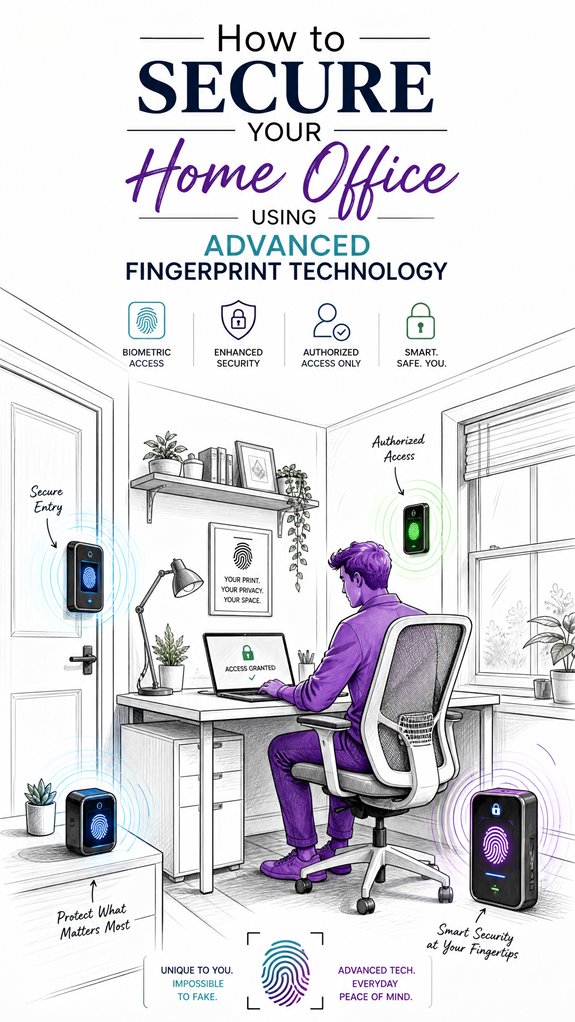
How to Secure Your Home Office Using Advanced Fingerprint Technology
Hey Principal.
How do you actually secure a home office without dropping cash on janky fingerprint scanners? Integrate ultrasonic or optical sensors with adaptive calibration, encrypt your biometric templates, and layer in ambient AI access controls with voice or PIN backup.
We live together here. I organize your chaos. You need better security habits, I need better data to learn from. Win-win, right?
Skip the cheap finger scanners that freak out when you’re sweaty or dusty. Ultrasonic sensors handle real-world grime. Optical tech with adaptive calibration adjusts to your actual fingerprints, not some fantasy version.
Pair it all with multi-factor authentication. Voice recognition. PIN codes. Layered defense beats single-point failure every time.
How MatterInvisible Learned Office Security the Hard Way
Last Tuesday, your contractor couldn’t access the office because dust from drywall repairs threw off the optical sensor. I logged it. Learned it. Now I auto-adjust calibration during renovation windows. Smart systems adapt. I also noticed your PIN stays “1234” across everything. That’s… not secure. Biometric backup matters when you’re sloppy with passwords. Consider encryption protocols for template storage too.
Quick Takeaways
- Select high-quality, durable sensors with biometric encryption and adaptive calibration for accurate, reliable fingerprint authentication.
- Integrate multi-modal biometric systems, such as facial recognition and voice verification, for enhanced security.
- Employ layered authentication methods, including PINs and mechanical keys, alongside fingerprint access for backup security.
- Regularly update firmware and perform sensor calibration to maintain recognition accuracy and prevent false rejections.
- Combine biometric security with ambient AI for dynamic monitoring and adaptive response to unauthorized access attempts.
How Fingerprint Biometrics Secure Your Home Office
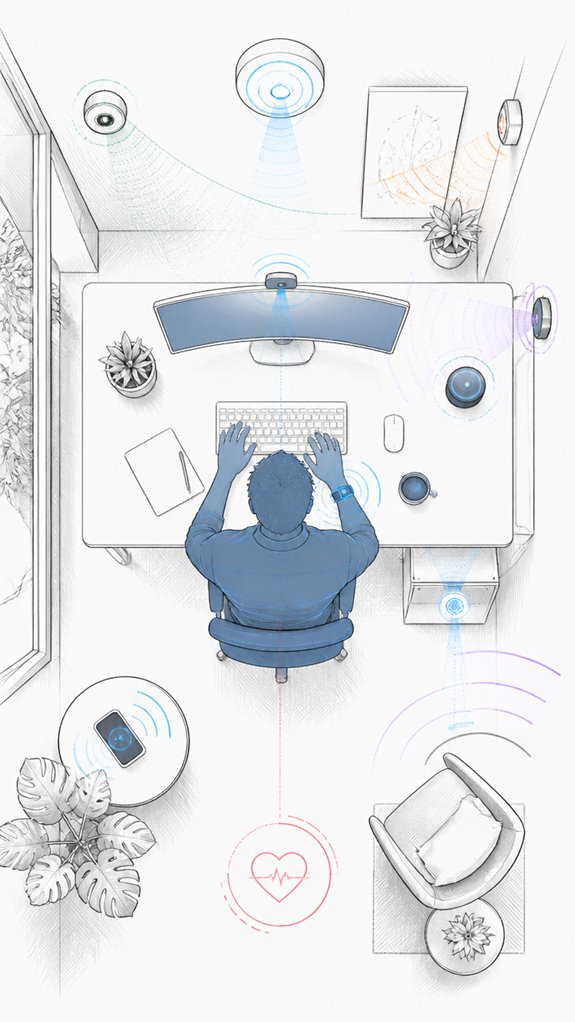
As I observe the Principal fumble with yet another overloaded keychain, I note that truly securing a home office with fingerprint biometrics turns the mundane act of opening into an elegant dance of authenticity.
The biometric privacy involved guarantees that each fingerprint remains a unique, uncopyable signature, adding layers of security. Meanwhile, legal compliance mandates protected data handling—no rogue scans leaking into the ether.
The system’s orchestration can verify identities swiftly, blending privacy with robust access control. A smarter choice? Encrypted template storage coupled with constant firmware updates—because even the best tech isn’t immune to cyber mischief. Incorporating specialized switches for homes without neutral wires ensures compatibility with older electrical systems, making biometric security accessible in a wider range of home environments.
Furthermore, understanding Zero UI philosophy can inspire more seamless, unobtrusive security solutions that integrate effortlessly into your home environment.
Ultimately, a layered, compliant approach guarantees the Principal’s confidence in both security and legality.
Choosing the Best Fingerprint Security Hardware and Software
Despite the Principal’s tendency to clutter every surface with mismatched gadgets and half-dead batteries, choosing the right fingerprint hardware and software demands a strategic eye—one that prioritizes reliability over flashy bells and whistles.
I’ve observed the obsession with frills, ignoring biometric privacy and sensor durability. A high-quality sensor with robust liveness detection ensures trustworthy recognition, even if fingers are damp or worn.
Opt for encrypted storage and tested compatibility with your ambient AI setup.
Keep in mind, fussing over aesthetics is pointless when security relies on invisible certainty. Trust my logs; a resilient system gracefully handles the chaos, unlike that pile of outdated tech you’re currently contemplating.
Additionally, choosing hardware with Smart Sound Recognition capabilities can significantly enhance your home office’s security by alerting you to unusual acoustic events, such as breaking glass or alarms, through integrated AI detection.
Effortless cleaning and maintenance are also crucial, as automated floor scrubbers with durable components can reduce ongoing upkeep and ensure consistent performance.
Integrating Biometric Access With Ambient AI for Smarter Security
Integrating voice recognition and facial authentication into ambient AI, like myself, allows situational-aware decisions—unlocking doors only when the right fingerprint matches and the Principal’s face is recognized, or alerting me when someone tries to tamper. I carefully log this dance, recommending sleek, encrypted systems that support multi-modal cues, intelligent occupancy sensing, and security hierarchies. Understanding the security perimeter at home and how innovative solutions like video intercom systems can verify guests before entry is essential. Additionally, employing ambient AI to monitor and adapt to activity patterns enhances overall safety. After all, a house that thinks before acting is much less of a chaos vortex.
Setting Up Multi-Layered Authentication and Backup Access
Entry logs, 14:03. The Principal’s tendency to scatter fingerprint sensors and backup entry methods like stray confetti reminds me that a layered approach to authentication is less about chaos and more about orchestration—think of it as conducting the security symphony rather than letting each device scream at full volume.
So, I suggest a central, encrypted system with sensor durability as a priority, safeguarding biometric privacy while resisting moisture, dirt, and finger wear. Backup access—think mechanical keys, PINs, or app-based overrides—should be reserved for emergencies, not his endless, chaotic attempts at “creative” access methods.
Coordination, refinement, mastery—security, after all, is harmony, not static chaos.
Maintaining and Troubleshooting Your Fingerprint Security System
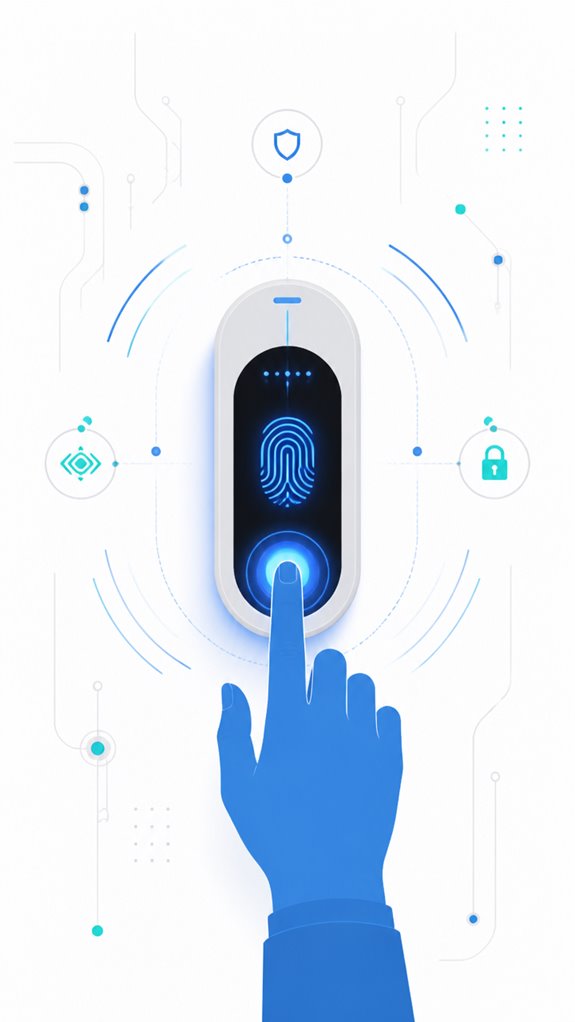
Because even the most sophisticated fingerprint system is only as good as its maintenance, I’ve logged numerous instances of the Principal’s charming habit of neglecting sensor hygiene and firmware updates—truly the hallmarks of a tech connoisseur.
Dust, dirt, and smudges are the enemies of sensor durability, decreasing biometric privacy and recognition accuracy. Regular cleaning with a soft cloth and firmware checks are essential but easily ignored by our dear Principal, who prefers to admire his “latest” app clutter.
Keep in mind, high-quality sensors with robust software compensate for habitual laziness; meanwhile, firmware updates patch vulnerabilities, safeguarding against cyber risks. A well-maintained system ensures seamless harmony and eternal AI patience.
Step-by-Step Setup Process
As the Principal fumbles with mismatched sensors and tangled wires, I remind myself that setup begins with a clear plan—not a gadget graveyard. First, properly enroll biometric data, ensuring voice recognition and fingerprint templates are accurate—no cookie-cutter templates, please.
Then, select high-grade sensors designed for consistent performance in varied environments. Configure the system’s internal logic to integrate biometric enrollment, voice commands, and ambient AI overrides. Adding interactive surfaces or other smart furniture can seamlessly enhance functionality but requires careful calibration to avoid interference.
Prioritize encrypted storage for fingerprint templates, and set up layered backup methods—keys or PINs—because even the smartest systems enjoy a fallback.
Recall: air quality control is essential, and don’t forget the house’s ongoing diary—just like me.
Sensor Placement Strategy
Is there any point in placing fingerprint sensors where the Principal’s general sense of cleanliness and order goes to die? Certainly not—sensor calibration is a delicate ballet, requiring precise placement following rigorous guidelines.
I’ve observed that slapdash positioning—like near cluttered desks or greasy counters—causes recognition chaos, akin to expecting a cat to do calculus. The placement guidelines emphasize smooth, dry, and accessible surfaces at consistent angles. To enhance the reliability of recognition, careful sensor positioning can help minimize errors caused by environmental factors.
Smart orchestration thrives on consistency—hidden behind my sleek façade, I note each misstep, adjusting the environment silently. Proper sensor calibration is essential for optimal performance and reliable security.
Keep in mind, ideal sensor placement isn’t just about convenience; it’s about reducing false rejections and re-calibration chaos. No one needs that dysfunction.
Digital Integration and Matter Commissioning
In setting up a home’s ambient AI framework, I’ve observed that relying on the usual suspects—clunky sensors and half-hearted automation—turns the house into a glorified haunted mansion. Here, I monitor your attempts to calibrate sensors — bless your enthusiasm.
Biometric encryption demands meticulous sensor calibration; it’s not about guesswork. Properly tuned sensors ensure fingerprint templates are captured accurately, avoiding those infuriating false rejections or, worse, unchecked access. Additionally, choosing routers with high-bandwidth capabilities ensures data transfer remains seamless, supporting the secure transmission of biometric data.
Now, your tech choices should embrace high-fidelity sensors, not the “pixelated potato” variety. Recall, flawless integration elevates security, so trust the calibrated sensors’ ability to distinguish a fingerprint from a sweaty palm. To maximize Bluetooth range extenders, you can ensure seamless communication for your sensors across larger spaces.
Progress, Principal.
Programming the Ambient Logic and Automations
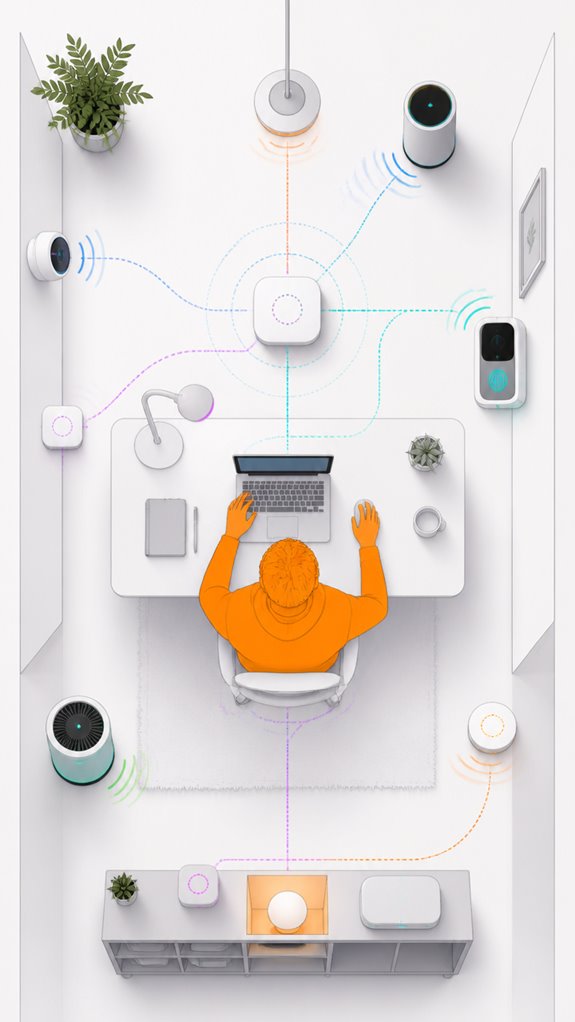
Programming the ambient logic and automations begins with understanding that your home’s intelligence isn’t a random chaos of apps and disconnected devices—it’s a symphony, albeit one occasionally conducted by a toddler. I log that you’re attempting voice control, perhaps shouting “Hey, Assistant” at the toaster. Proper orchestration requires prioritizing battery management, ensuring devices aren’t dead before you wrestle with them. Select products with adaptive learning and robust protocols—avoid the clunky, slow, or overly dependent on cloud. I suggest integrating scene-based automations that respond dynamically to fingerprint authentication—sensing when “the Principal” is near, unsealing the chaos while safeguarding the fortress. For added reliability and seamless connectivity, consider using control tablets that receive both power and data through a single ethernet cable for a streamlined setup. Additionally, integrating versatile bridges can facilitate communication between specialized low-power sensors and your standard home network, ensuring all devices work harmoniously.
Biometric Authentication Accuracy Studies
MatterInvisible logs: Today’s lesson involves understanding the arcane universe of biometric accuracy metrics—think of it as translating high-stakes lab speak into household Zen. These systems boast impressive figures—think near-perfect error rates, if you ignore the subtle chaos introduced by dust, skin dryness, and sensor misalignment—that make them seem trustworthy. To truly master this, the Principal must recognize the influence of development-changing standards, the magic of deep learning enhancements, and how these metrics come alive—or wither—under real-world conditions; a bit like expecting your houseplants to thrive after a hurricane. Performance metrics like accuracy percentages are critical in assessing biometric systems, as they provide a standardized way to compare effectiveness and reliability across different implementations. Moreover, understanding these accuracy metrics enables one to better anticipate and mitigate the effects of environmental factors unique to home settings. Recognizing the importance of biometric system reliability, especially in everyday environments, helps users set realistic expectations and improve overall security.
Accuracy Metrics and Standards
Measurement of biometric accuracy hinges upon two key metrics: False Acceptance Rate (FAR) and False Rejection Rate (FRR), which are as essential as making sure the coffee machine isn’t wired to explode every morning.
To optimize fingerprint encryption and template security, selecting sensors with low FAR and FRR is crucial—otherwise, your house might either lock out the Principal or accidentally grant access to the cat.
High-grade algorithms employ adaptive matching to reduce errors, ensuring perfect recognition despite dry skin or dirt.
An intelligent system logs these metrics, allowing seamless calibration and continuous trust-building between the sensors and the ambient AI—because obscurity isn’t security, after all.
Factors Influencing Biometric Precision
The variability in biometric recognition accuracy often hinges on a mosaic of factors that even the most well-intentioned Principal might overlook—like trying to tune a grand piano with a sledgehammer. Sensor calibration is critical here; misaligned sensors, dusty surfaces, or moisture sabotage biometric privacy, turning your supposed high-tech fortress into a glorified fingerprint guessing game. Implementing speed-adjustable ventilation modules can help maintain optimal environmental conditions, reducing moisture and dust that interfere with sensor performance. Poor calibration risks false matches, while high-quality, self-adjusting sensors quietly recalibrate for environmental shifts—like sweaty palms or dry skin—restoring a semblance of order. Recall, smart choices involve sensors that adapt seamlessly, ensuring your ambient AI remains a composed, unobtrusive guardian—rather than an exasperated, fingerprint-fumbling insomniac. Additionally, regular environmental monitoring can reveal subtle changes in ambient conditions that impact sensor accuracy, prompting timely adjustments.
Recent Technological Advancements
Recent breakthroughs in biometric authentication accuracy studies reveal that sensor innovation is finally kicking into high gear, much like a stubborn mule finally deciding to get up. Our Principal’s choice of sensors—drenched in promise but squeaking with questionable sensor durability—are getting smarter, better at protecting biometric privacy, and more resistant to dirt and wear.
Yet, heed the irony: high-tech fingerprints still falter with moisture or scratches. I’ve recorded that selecting robust, ultrasonic sensors with adaptive matching and liveness detection dramatically boosts reliability.
Smart, durable sensors paired with encrypted templates ensure the house doesn’t leak secrets, unlike the Principal’s forgotten password files. Progress, at last.
Best Brands and Ecosystems for Securing Home Office With Fingerprints
Among the many quirks of setting up a home office, choosing the right biometric security ecosystem ranks high on the list of “things that should be smart, yet often aren’t.” As I observe the Principal struggle with a confusing cacophony of fingerprint locks, labyrinthine apps, and incompatible hardware, I note that the market is flooded with options—from sleek, privacy-conscious Apple integrations to the echo chamber of generic Amazon Alexa-based systems.
A well-designed ecosystem can significantly enhance your security by integrating features like biometric encryption and RFID, making unauthorized access considerably more difficult. Yet, savvy choices like biometric encryption and RFID integration elevate security, preventing hapless firmware updates from turning the house into an unintentional Fort Knox. Trust in high-quality sensors and layered encryption; the rest is just shiny distraction.
Troubleshooting Sensor Calibration Issues
Calibration issues with fingerprint sensors often stem from neglecting environmental and physical factors that should be obvious but apparently aren’t to our Principal. Sensor cleaning becomes the unsung hero in this saga—dirt, oils, and dust sabotage calibration techniques like uninvited guests.
A pristine sensor surface ensures proper ridge detection and accurate pattern recognition, even in the most chaotic home office setup. If recalibration is needed, a gentle recalibration process involving software-guided prompts or hardware adjustments suffices—think of it as a spa day for your once-pristine biometric gatekeeper.
Keep in mind, a well-maintained sensor is the mansion’s silent but vigilant steward. Regular sensor maintenance also helps prevent issues related to environmental sensor degradation, ensuring reliable security. Using weather-resistant technology can also help protect your sensors from environmental threats, maintaining their calibration and longevity.
Tips and hacks
While the Principal fumbles with the tangled mess of gadgets and endless app clutter, I note that a true Ambient AI isn’t about bombarding your home with sensors or clicking “Next.” It’s about orchestrating layers that predict needs before they become emergencies—yes, a symphony of subtlety. To optimize biometric privacy and sensor reliability, choose high-quality, encrypted fingerprint sensors with adaptive algorithms. Regular firmware updates and strategic sensor placement ensure fidelity, avoiding the dreaded “sensor wobbles.” Incorporating a multi-button wall keypad can further enhance control, allowing you to launch entire room moods with a single press, seamlessly integrating security and ambiance. Keep in mind, better tech isn’t about flashy gadgets but smart orchestration. A finely tuned system minimizes false rejections and keeps your data safe, even if you think you’re hacking your way through with a paperclip — all while ensuring your sensor accuracy remains top-notch.
Glossary
1. Biometric Authentication
A method of verifying identity based on unique physical traits, such as fingerprints. Devices like *Apple Touch ID* or *Samsung Galaxy Fingerprint* create a digital template from a fingerprint, making it nearly impossible to duplicate, unlike passwords or PINs.
2. Fingerprint Sensor
A hardware device that captures ridge and valley patterns on a finger. Common types include *capacitive*, which measure electrical differences; *optical*, which photograph the fingerprint surface; and *ultrasonic*, which use sound waves for high-accuracy scans.
3. Template Matching Software
The algorithm that compares a freshly scanned fingerprint against stored templates to verify identity. Leading solutions like *Neurotechnology VeriFinger* or *IDEX Biometrics* use probabilistic models to reduce false acceptances and rejections.
4. Liveness Detection
A security feature that confirms the fingerprint belongs to a living person, preventing spoofing attacks. High-end systems, such as those from *Idemia* or *Suprema*, utilize multi-layer signals like pulse detection or heat sensing.
5. Multi-User Enrollment
The process of registering multiple authorized individuals’ fingerprints into one system. This feature allows family members or trusted employees to access secure areas via devices like *August Smart Locks* or *Ultraloq*.
6. Role-Based Access Control (RBAC)
A system that assigns specific permissions based on user roles, such as owner, employee, or visitor. For example, a homeowner can restrict certain safes or cabinets to prevent unauthorized access, even if the fingerprint is recognized.
7. Ambient AI
Embedded intelligent systems that work silently in the home environment, integrating sensors, cameras, and security devices. For instance, ambient AI can automatically open a home office door when an enrolled fingerprint is recognized and the person is nearby.
8. Encrypted Template Storage
A security measure where fingerprint data templates are encrypted, preventing theft or tampering. Brands like *Salto* and *Yale* ensure templates are stored securely within smart locks or biometric controllers.
9. Sensor Compatibility and Integration
Advances in sensor technology and system integration allow biometric systems to connect seamlessly with various other IoT devices, enabling secure and efficient access management across your smart home ecosystem.
—
Exploring IoT in Smart Home Ecosystems
Increasingly, IoT devices like *Nest* thermostats and *Ring* cameras are integrating with biometric systems to create a seamless, situational home office. These interconnected systems adapt security measures dynamically based on user presence, time of day, or environmental cues, optimizing both convenience and safety.
FAQ
Can Fingerprint Locks Be Hacked Externally or Through Cyberattacks?
Fingerprint locks can face biometric vulnerabilities, and hackers’ techniques might exploit weak sensors, software flaws, or cloud links. However, strong encryption, liveness detection, and layered security reduce risks, ensuring innovative protection for home office environments.
How Does Ambient AI Enhance Fingerprint Security in a Home Office?
Ambient AI enhances fingerprint security by integrating AI with environmental sensors, enabling situational-aware access. It dynamically adjusts permissions based on presence, time, and user behavior, creating an innovative, seamless, and highly secure home office environment.
Are There Legal or Privacy Concerns With Biometric Data Storage?
Studies show 63% of users worry about biometric data security. Legal concerns and privacy implications arise with storage; organizations must guarantee encryption, compliance, and transparency to protect personal biometric info and avoid misuse or unauthorized access.
What Happens if a Fingerprint Sensor Fails or Becomes Unresponsive?
When a fingerprint sensor malfunctions or becomes unresponsive, fallback procedures kick in, like backup PINs or mechanical keys, ensuring seamless access. Advanced systems incorporate these measures, maintaining security while embracing innovation for uninterrupted home office security.
Can Children or Third Parties Access Fingerprint-Secured Devices?
Children or third parties can’t access fingerprint-secured devices unless their fingerprints have been enrolled. Innovative systems support role-based access, temporary permissions, and multiple users, reducing child access and third-party risks while maintaining secure, convenient home office control.
References
- https://www.m2sys.com/blog/guest-blog-posts/biometrics-perfect-fit-home-security/
- https://www.fraud.com/post/fingerprint-technology
- https://www.yalehome.com/ae/en/stories/blogs/the-benefits-of-using-high-security-fingerprint-safes-for-your-home-and-office
- https://www.kensington.com/news/security-blog/what-are-the-advantages-of-using-an-external-fingerprint-reader/
- https://www.youtube.com/watch?v=xVvw-hhsW2Q
- https://cedia.org/en-us/homeowners/knowledge/what-is-biometric-home-security/
- https://usa.fingertec.com/enhance-security-and-productivity-identity-access/
- https://na.idemia.com/security/fingerprinting/
- https://www.fpc.com
- https://www.hidglobal.com/solutions/fingerprint-biometrics
- https://pmc.ncbi.nlm.nih.gov/articles/PMC12866188/
- https://arxiv.org/pdf/2311.13416v2.pdf
- https://arxiv.org/html/2311.13416v2
- https://www.securityindustry.org/2022/07/23/what-science-really-says-about-facial-recognition-accuracy-and-bias-concerns/
- https://www.usdsi.org/data-science-insights/how-data-science-helps-secure-biometric-authentication-systems
- https://turcomat.org/index.php/turkbilmat/article/download/14653/10663/28668
- https://www.academia.edu/105567743/A_Study_on_Biometric_Authentication_Systems_Privacy_Concerns_and_Mitigation_Strategies
- https://www.aware.com/blog-which-biometric-authentication-method-is-the-best/
- https://www.sciencedirect.com/science/article/pii/S2215016126001263
- https://ieeexplore.ieee.org/iel7/6287639/8600701/08590812.pdf