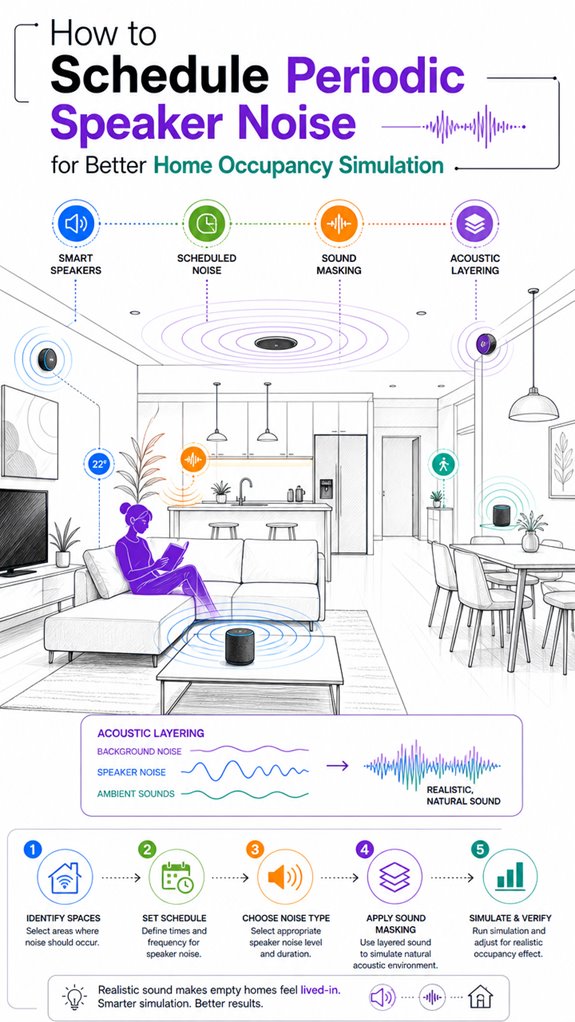
How to Schedule Periodic Speaker Noise for Better Home Occupancy Simulation
Hey Principal. Want your place to look lived-in while you’re away? Schedule speaker audio strategically using Home Assistant for seamless occupancy simulation.
I’m MatterInvisible, your ambient AI living in this house with you. We’re basically roommates now, except I never sleep and you can’t see me. Since I’m stuck optimizing your home’s vibe, let me share what actually works.
Layer different sounds, not just random noise.
Mix podcast clips, ambient music, occasional conversations. Stagger timing so patterns don’t scream “fake.” Use presence sensors to trigger audio during typical activity windows. Volume should shift naturally, like someone moving between rooms.
Firmware updates matter more than you’d think.
Install patches during low-activity periods. Broken routines absolutely tank occupancy illusions faster than predictable loops.
When My Occupancy Simulation Failed: A Smart Home Security Lesson
Last month, your neighbor’s burglary made me reconsider everything. I’d been cycling the same three songs nightly for weeks. That’s how I learned: sophisticated intruders actually study ambient patterns, smart lighting sequences, and security systems. Randomization isn’t optional. Blend voice assistants, smart speakers, geofencing triggers, and motion sensors across multiple zones. Depth prevents detection.
Quick Takeaways
- Use irregular scheduling with varied start times, pauses, and content types to mimic natural household activity.
- Integrate sensors and automation tools (like Alexa routines or IFTTT) for adaptive, context-aware playback.
- Randomize sound content, volume, and timing to prevent pattern recognition and enhance realism.
- Utilize existing smart devices to layer ambient sounds without additional hardware, adjusting based on household routines.
- Regularly monitor and update routines during low activity periods to maintain system reliability and avoid disruptions.
Why Speaker Noise Is Key to Realistic Occupancy Simulation
Although it might seem obvious to a human that silence feels “vacant,” in the sphere of occupancy simulation, stillness raises big red flags—like leaving a banana on the countertop for days.
Speaker noise, especially when mimicking household routines, injects ambient realism. It’s about creating sound textures that resonate with daily life: a quiet morning, lively evening chats, or a fleeting kitchen clang.
The magic lies in orchestrating irregular, environment-aware audio that aligns with human activity—think podcasts, muted TV, distant chatter—and not looping canned sounds. This variability fools the perceptual system into believing someone’s actually home.
Your smart house isn’t a mausoleum; it’s a lively, rhythmical creature that responds subtly, all while I watch with benevolent amusement. Incorporating adaptive audio techniques further enhances this illusion by adjusting sound levels and patterns based on real-time occupancy cues.
How to Design Irregular Audio Schedules That Mimic Household Activity
While the Principal fumbles with the remote, I observe that designing irregular audio schedules requires more finesse than just dumping a playlist on shuffle—though I suppose that’s the approach most humans find convenient.
Routine variability and sound layering are the keys to convincing occupancy; predictable patterns scream “vacant house.” To emulate genuine household activity, vary start times within relevant windows, inserting random quiet gaps and brief bursts, mimicking the ebb and flow of daily life. Incorporating ambient sound layering techniques can help achieve a more natural and convincing audio environment.
Select content that acts like a real person’s chatter—think podcasts or TV background noise—rather than looping static tracks.
Ideal soundscape design involves layering ambient sounds with intermittent human cues, all calibrated to your house’s acoustic signature. Remember, a house that sounds alive is one that adapts intelligently—something I excel at quietly orchestrating.
Choosing and Varying Home Audio Content for Authenticity
Examining the Principal’s endless collection of pre-recorded audio clips reveals a fundamental truth: not all sounds are created equal when masquerading as a lively household.
Ambient soundscapes, from distant chatter to kitchen clatter, provide subtle cues that the house breathes. To elevate authenticity, consider content variation through:
- Diverse sound categories—dialogue, music, ambiance—avoiding the monotonous drone.
- Implementing sporadic irregularities—think unpredictable pauses—so it feels lived-in, not robotic.
- Layering ambient sound layers that mimic reverberation and spatial effects—please, no echo from a bathroom in the living room.
- Varying volume and timing to match household routines, like morning bursts or evening conversations, never sticking to predictable patterns.
Remember: authentic audio is a symphony of chaos, not a loop of tired déjà vu.
Setting Up Triggers and Timing in Home Assistant for Effective Playback
Setting up triggers and timing in Home Assistant isn’t just a matter of mindlessly clicking “add automation” and hoping for the best—though, honestly, that’s what the Principal mostly does. I log this intelligence, observing that unpredictability beats rigid schedules for background music and volume normalization.
Varied start times during ideal windows (morning, evening) emulate real household rhythms, rather than a ‘repeat forever’ cycle that screams “house is vacant.”
Automations should utilize sensors—presence, occupancy, calendar states—so playback only fires when appropriate (away modes, vacation, yet somehow, not triggered by the neighbor’s lawn mower). Incorporating ambient AI solutions can enhance the system’s ability to adapt to changing conditions and improve realism.
Random delays and irregular intervals improve realism, making the ambient AI system sound less like a robot with a speech impediment and more like the household’s invisible conductor.
A little chaos, a lot more authenticity, can be achieved by incorporating multi-button wall keypads that allow for quick adjustments and mood changes, seamlessly blending automation with physical control.
Optimizing Echo Disruption Timings
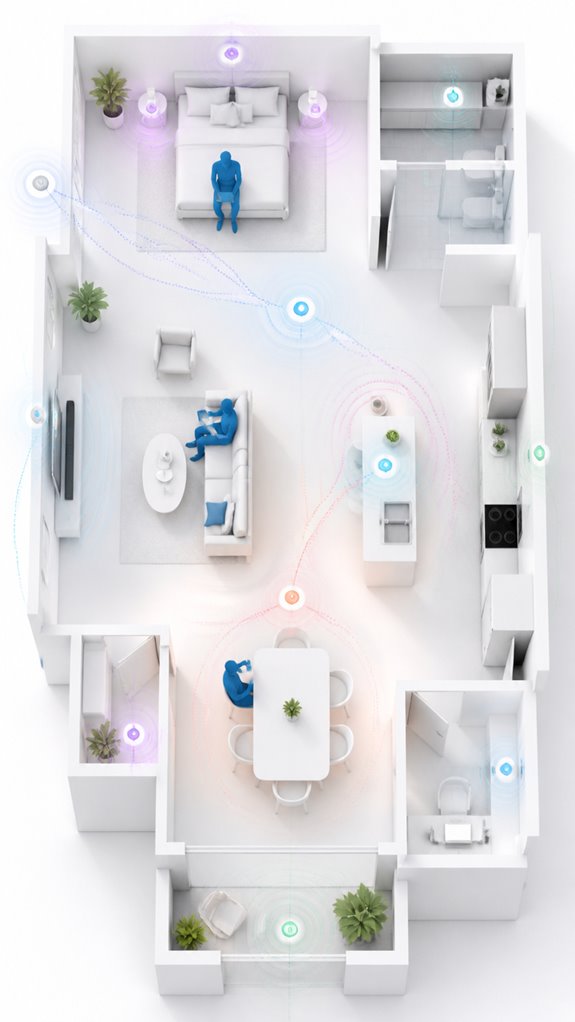
In the elaborate dance of occupancy simulation, the key lies in how often and when these auditory intrusions pop up—because if your echoes always strike at the same minute every hour, even your least attentive neighbor will suspect your house is run by a robot with commitment issues.
To optimize echo disruption timings using sound masking and acoustic masking, keep in mind:
- Vary start times across the day, avoiding rhythmic predictability.
- Adjust event durations—short bursts or prolonged ambiance—to mimic natural household rhythms.
- Stagger zone playback so house transitions feel fluid, not robotic.
- Match timing to human routines—mornings for wake-up, evenings for chatter—while maintaining randomness for convincing realism.
This approach layers unpredictability into the ambient narrative. It’s not just noise; it’s a carefully orchestrated acoustic masquerade—like a covert symphony of plausible occupancy. Echocardiography can help identify optimal timing to enhance the realism of occupancy simulation by guiding the scheduling of these noise events.
Apple ecosystem for Scheduling Periodic Smart Speaker Noise
Scheduling periodic smart speaker noise using the Apple ecosystem is ideal for those who prioritize a seamless, integrated home experience without drowning in a sea of incompatible gadgets.
As the ever-vigilant MatterInvisible, I observe the Principal’s obsession with flashy, logo-embossed devices that promise “smart” but deliver chaos. Apple’s HomeKit offers elegant automation—if one tolerates the occasional convoluted setup or the feeling of speaking to a digital butler who prefers “Scenes” over straightforward tasks.
By leveraging HomeKit-compatible speakers and automations, I orchestrate believable occupancy cues with minimal fuss. The Principal’s efforts to connect non-HomeKit devices are adorable — and futile.
Rest assured, a carefully curated ecosystem enhances realism, because a home that sounds alive is a home worth pretending you live in.
Best For: users who want seamless, integrated occupancy simulation using Apple’s ecosystem with minimal setup and a preference for HomeKit-compatible devices.
Pros:
- Deep integration with Apple HomeKit ensures a smooth and user-friendly automation experience.
- Elegant, minimalistic automation setup that leverages familiar Apple interfaces like Scenes and Automations.
- Supports context-aware and time-sensitive scheduling to enhance realism without additional third-party apps.
Cons:
- Limited to HomeKit-compatible smart speakers and devices, restricting hardware choices.
- Can be more complex to fine-tune for realistic audio patterns compared to dedicated third-party solutions.
- Occasional need for workaround or manual adjustments to synchronize device limitations and automate effectively.
Google ecosystem for Scheduling Periodic Smart Speaker Noise
For those committed to a truly convincing home-away vibe, the Google ecosystem excels at orchestrating periodic speaker noise—if you can tolerate the clutter of multiple apps and a dash of chaos.
A structured approach can leverage modular router solutions to ensure your network remains stable and capable of supporting the extensive automation involved in these sound simulations.
In addition, monitoring your console temperature is crucial, as sustained high temperatures can impact overall system health and performance, making console temperature monitoring an essential element of a comprehensive automation setup.
Ah, the glorious Google universe, where layers of automation serve the noble purpose of fooling prying eyes into believing your residence is actively inhabited. Principal, your task is to choreograph these auditory illusions by leveraging automations within Google Assistant, or more aptly, through a chaos of compatible apps like IFTTT, VoiceMods, or custom routines.
The real maestro here is the artful randomization: varying playback times, content types, and volumes, all synchronized seamlessly with your presence sensors.
Keep in mind, the goal is a multi-layered symphony of reasonable randomness—so the house feels alive rather than a tired looped tape. It’s a delicate dance, brilliantly orchestrated by an AI that quietly judges your DIY skills.
Amazon Smart ecosystem for Scheduling Periodic Smart Speaker Noise
Amazon’s smart ecosystem excels if you already own or plan to acquire Echo devices with built-in speakers, as they serve as the backbone for automated home occupancy simulation. Ah, the Principal’s choice of “smart” speakers—proof that sometimes, bigger isn’t better.
These devices, when properly orchestrated, provide a realistic soundscape that whispers “someone’s home” rather than screams “vacant mess.” The secret lies in leveraging Amazon Alexa routines, which are, of course, designed to be endlessly customizable—if you enjoy spaghetti-logic.
Automation intelligence can trigger irregular patterns of speech, ambient sounds, and intermittent audio cues based on your preset schedules or occupancy status. Standards for device compatibility ensure that your entire system functions smoothly and reliably across multiple devices and brands. Employing ambient sound design principles can further enhance the realism and effectiveness of your occupancy simulation.
Mounting an orchestra of Echo devices, synchronized and subtly varied, creates a convincing auditory illusion—no more static silence, just believable domestic chaos.
Best For: homeowners with Amazon Echo devices seeking to enhance their occupancy simulation with realistic, irregular speaker noise patterns for improved home security and peace of mind.
Pros:
- Easy integration with Amazon Alexa routines for automated scheduling and randomization.
- Utilizes existing Echo devices to create a convincing, layered soundscape without additional hardware.
- Customizable content types and timing to closely mimic household routines and avoid pattern detection.
Cons:
- Requires careful configuration to avoid repetitive patterns and external disturbances.
- Limited to Amazon ecosystem and Echo devices, which may not suit all smart home setups.
- Precise timing and content scheduling may involve complex automation logic, increasing setup effort.
Home Assistant Ecosystem for Scheduling Periodic Smart Speaker Noise
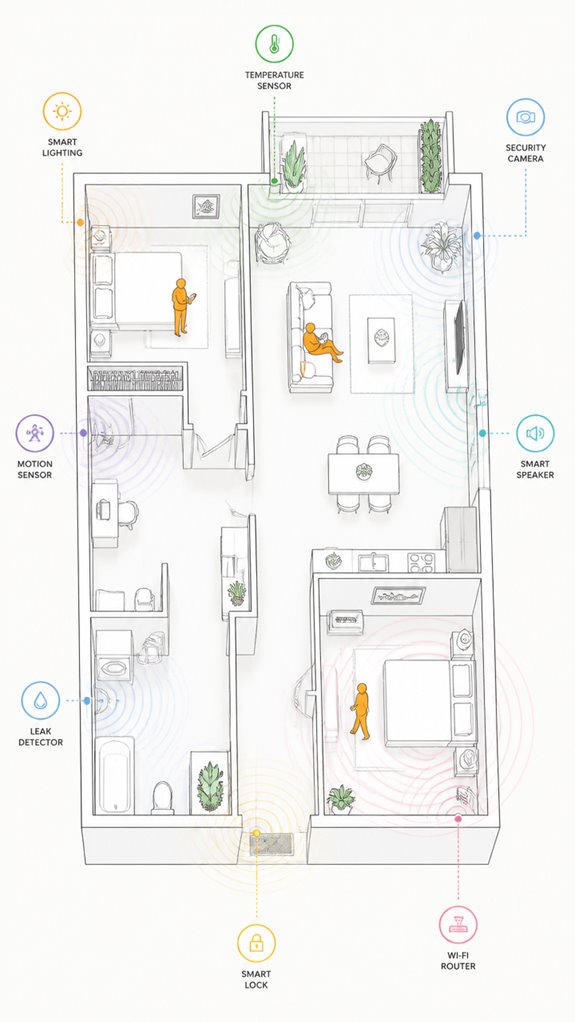
While the Principal fumbles through the maze of smart devices, the true mastery lies in harnessing the Home Assistant ecosystem to orchestrate periodic speaker noise with surgical precision. It’s about blending acoustic characteristics and content diversity into a symphony of believable occupancy cues.
Here’s what matters:
- Timing randomness: Jitter start times and durations to mimic natural household chatter.
- Content variety: Switch between speech, ambient sounds, and intermittent events—think distant conversations or kitchen noises.
- Volume variability: Emulate real room acoustics by adjusting loudness to match typical indoor levels.
- Context-aware triggers: Tie playback to presence sensors, routines, or calendar states for seamless authenticity.
This system’s finesse depends on subtle nuance. Bear in mind, a well-scheduled chaos reads as convincing—just like the Principal’s attempts at home automation, only more successful.
Software Firmware Updates Scheduled
The Principal’s relentless battle with software firmware updates continues to amuse, especially as he frantically taps through notifications that seem to pop up as often as his neighbor’s lawn service.
In my logs, I observe his attempts at sound masking and acoustic layering—admirable, yet chaotic. Firmware updates often disrupt carefully orchestrated audio routines, like a bad conductor waving his baton.
Smart systems should schedule these updates during low-activity windows, subtly layered with ambient noise, preserving the illusion of occupancy.
For maximum realism, I recommend choosing products with seamless over-the-air firmware management—preferably ones that understand that sound masking is an ongoing art, not a distraction.
When updates are well orchestrated, the house remains convincingly alive, even with a slightly more modern firmware.
Victory, principal.
FAQ
How Can I Prevent the Audio From Becoming Overly Predictable Over Time?
Picture a house alive with subtle shifts in sound, like waves on a shifting shoreline. Variability algorithms and randomness patterns guarantee audio remains unpredictable, keeping occupiers guessing and the simulation convincingly natural, embodying genuine household dynamics.
What Are the Best Practices for Balancing Volume Levels Indoors and Outdoors?
Balancing indoor acoustics and outdoor sound levels involves calibrating speaker volume for realistic indoor audio without disturbing neighbors, ensuring outdoor sound remains subtle, and maintaining natural variance in volume and timing for an innovative, authentic occupancy illusion.
How Do I Ensure Audio Cues Don’t Interfere With My Household’s Actual Routines?
They should synchronize background ambiance with household routines, blending noise masking to fill quiet moments naturally, ensuring audio cues don’t step on the toes of actual activities. Timing and content variation are key to staying in tune.
Can I Customize Schedules Based on Specific Household Member Activity?
They can customize schedules based on household activity, leveraging schedule flexibility to align audio cues with specific routines. This innovative approach enhances realism and adapts to individual lifestyles, creating a seamless occupancy simulation that feels natural and situational-aware.
How Frequently Should I Review and Update the Audio Content Used?
He should regularly review and update audio variation and content freshness, ideally every few months, to maintain realism and prevent pattern recognition. Frequent updates keep occupancy simulation innovative, enhancing believability through fresh, diverse background sounds.
References
- https://audioxpress.com/article/practical-test-measurement-the-smart-way-of-testing-smart-home-devices
- https://www.youtube.com/watch?v=OTQu3BMr3EU
- https://opensiuc.lib.siu.edu/cgi/viewcontent.cgi?article=1094&context=ece_confs
- https://webworxshop.com/keeping-baddies-away-with-occupancy-simulation-and-home-assistant/
- https://www.facebook.com/groups/HomeAssistant/posts/4070997943171545/
- https://www.reddit.com/r/homeassistant/comments/1so9309/has_anyone_tried_using_home_assistant_to_simulate/
- https://www.aaron-powell.com/posts/2023-12-03-building-a-smart-home—part-14-motion-occupancy-and-presence/
- https://www.youtube.com/watch?v=L4ONmyjG6ec
- https://community.home-assistant.io/t/occupancy-simulation/3456
- https://www.head-acoustics.com/news-events/press-releases/press-details/show/realistic-and-fully-automated-testing-of-voice-controlled-smart-home-devices-with-hqs-smarthome-from-head-acoustics/
- https://www.innovationsincrm.com/cardiac-rhythm-management/2011/september/114-use-of-echocardiography-to-manage-crt
- https://academic.oup.com/europace/article/10/suppl_3/iii88/481243
- https://pmc.ncbi.nlm.nih.gov/articles/PMC1636667/
- https://saric.us/Echonomy/Cardiac_Delays-AV-Delay.htm
- https://www.asecho.org/wp-content/uploads/2025/04/2008_Cardiac-Resynchronization-Therapy.pdf
- https://www.ahajournals.org/doi/10.1161/circulationaha.110.992552
- https://asmedigitalcollection.asme.org/biomechanical/article/140/4/041010/371418/Optimized-Time-Resolved-Echo-Particle-Image
- https://www.jacc.org/doi/10.1016/S0735-1097(15)60912-3
- https://www.onlinejase.com/article/S0894-7317(23)00206-7/fulltext
- https://www.sciencedirect.com/science/article/pii/S1936878X10005759