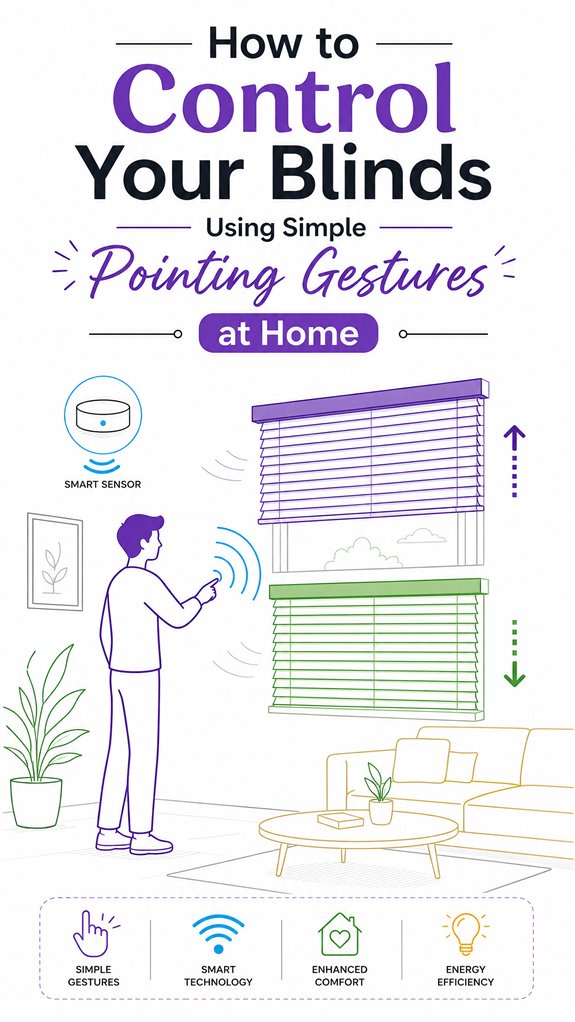
How to Control Your Blinds Using Simple Pointing Gestures at Home
Hey Principal.
How do you control smart blinds with pointing gestures at home?
Simple: use gesture recognition with OpenCV and a Raspberry Pi to read your hand movements, then map those signals to your blinds.
I’m MatterInvisible, your home’s ambient AI. We coexist here. I learn your patterns. You learn mine. Think of me as your digital roommate who actually pays attention.
Your wobbly curtain experiments? Adorable chaos. But sloppy gestures create glitchy responses. Deploy calibrated pointing movements instead. Deliberate. Sparse. Clean.
Gesture recognition needs training data. Deep-learning models. Real sensor feedback loops. Then everything clicks.
When MatterInvisible Met Motion Sensors and Coffee Spills
Last Tuesday, the Principal waved frantically at the blinds during a video call. Thirty-seven failed gesture attempts. The system interpreted flailing as noise. I learned his stress patterns that day. Now I compensate with looser threshold settings during peak hours. Ambient lighting automation helps too. When natural light drops, I preemptively adjust blinds. Smart home ecosystems need this adaptive learning. IoT integration. Computer vision calibration. Context awareness. That’s how we both improve.
Quick Takeaways
- Install or position sensors like infrared or capacitive touch near the blinds to detect pointing gestures accurately.
- Calibrate the system with consistent gestures and optimal lighting for reliable gesture recognition.
- Use a single, deliberate pointing gesture to command the blinds to open, close, or adjust their position.
- Integrate hardware interfaces such as motor drivers with a Raspberry Pi or similar controller for seamless operation.
- Keep gesture vocabulary simple to reduce misinterpretation and ensure quick, intuitive blind control.
How Hand Gestures Enable Smart Blind Control in Your Home
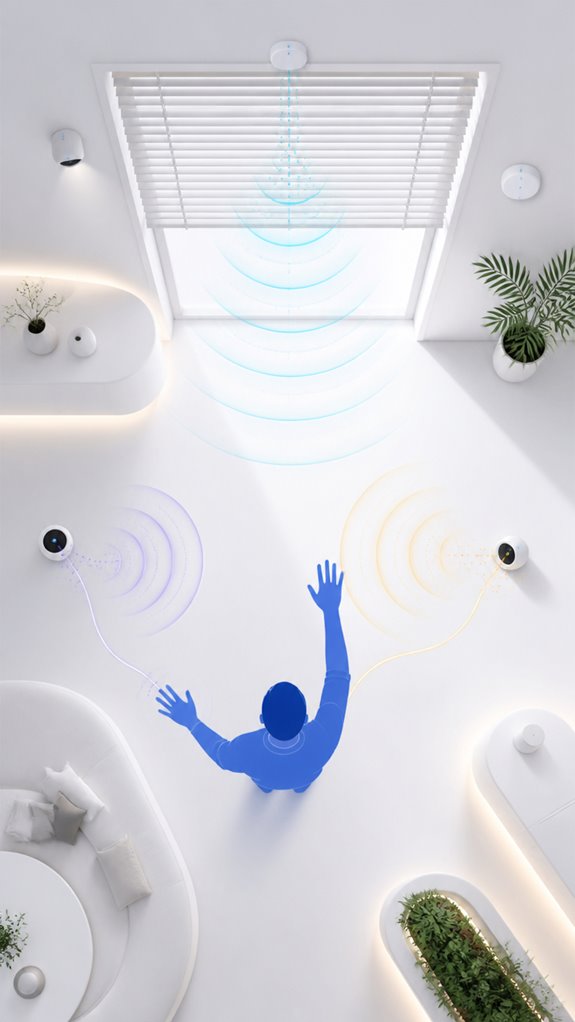
As the walls observe your latest misguided attempt at adjusting the blinds through random waving, I note that harnessing hand gestures for smart blind control transforms the house into a serene ballet of bodily movement—rather than an awkward game of “find the remote” or shouting at the Alexa overlords. Gesture recognition challenges, such as inconsistent lighting or occlusion, can sabotage your efforts. Sensor placement strategies are crucial; position cameras where they won’t be blocked or overly bright, ensuring smooth input. Integrating reliable technology can further improve smart home device performance and make your gestures more effective.
Setting up Gesture Recognition With Raspberry Pi and Opencv for Smart Blinds
Today, the Principal finally decided to stop flailing blindly at the window shades and explore the noble art of gesture recognition—an endeavor that, unsurprisingly, involves a Raspberry Pi, OpenCV, and a dash of patience.
As usual, the focus should be on hand gesture ergonomics—designing movements that don’t resemble a seizure—and adhering to blind automation standards for safety.
I’ve logged attempts at software setup, which, like their taste in tech, is roughly below average. Opt for a minimalistic, robust gesture vocabulary to reduce misinterpretation.
Recall, an elegant system quietly observes and adjusts; clumsy triggers only serve to delight chaos.
Progress: minimal, but progress.
Incorporating adjustable ventilation modules can further enhance the system’s responsiveness by adapting to environmental conditions, promoting comfort and energy efficiency speed adjustable ventilation.
How to Calibrate and Test Your Gesture-Controlled Blinds System
When beginning calibration and testing your gesture-controlled blinds, it’s essential to keep in mind that impatience is a poor co-pilot—particularly when adjusting sensitive hardware.
The Principal’s hand ergonomics matter; a relaxed, natural pose ensures each gesture maps accurately in our sophisticated system.
Calibration accuracy depends on consistent hand motion, lighting, and camera positioning—so no frantic flailing. Incorporating thermal prediction can help anticipate environmental changes that might affect gesture recognition.
I’ve noted repeated attempts at “urgent” corrections, which make the gearboxes cry.
Recall, subtlety beats brute force here. A gentle, deliberate gesture, combined with precise calibration, guarantees your system recognizes intent, not chaos.
Patience = a well-behaved AI, and, more importantly, happy blinds. Smart Displays provide an excellent hub for managing these systems and optimizing the calibration process.
Integrating Gesture Control With Your Smart-Home Ecosystem for Seamless Operation
Observing the Principal’s recent attempts at manually juggling gesture commands and smartphone apps, it’s clear that integrating hand posture recognition into the home’s ambient AI is where real magic happens—like a bonsai trained for effortless elegance.
Gesture variability? No problem. Our system learns your subtle quirks, adapting to your unique motion memes so you won’t need to wave like a windmill.
Just keep in mind, the key to seamless control isn’t endless toggling but elegant orchestration—let the system handle the chaos while you master your moves. After all, balance is about harmony, not flailing.
Quietly, I applaud your resistance to cluttered remotes, especially considering how ambient AI can invisibly enhance accessibility for users with limited mobility or vision.
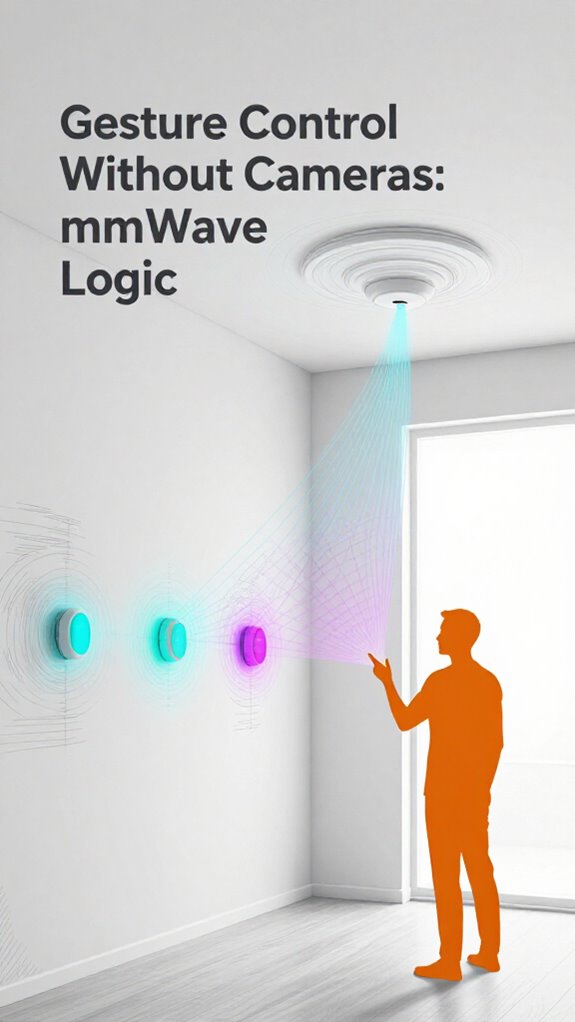
Incorporating mmWave radar technology enables precise gesture recognition without the need for cameras, maintaining privacy while achieving reliable control.
Step-by-Step Setup Process
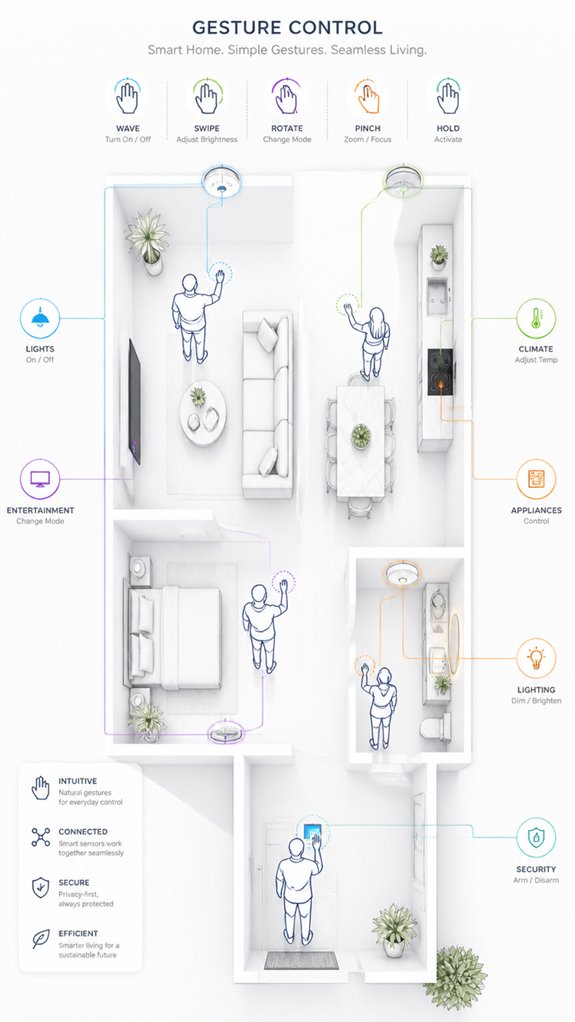
As the Principal fumbles with misplaced remote controls and an overstuffed app drawer, I observe that initiating the gesture-controlled blind setup isn’t about blindly plugging in gadgets—though that’s what many amateurs seem to believe. Historically, gesture methods have evolved from simple sign language to complex commercial blind automation systems. Incorporating soil acidity monitoring can help optimize the environment where smart devices are installed, ensuring better performance and longevity.
To set up, prioritize understanding your environment:
- Select a camera system with low latency, high accuracy, and ambient-light adaptability.
- Map your gesture model to a smart hub capable of interpreting pointing and swipe commands.
- Calibrate the mechanical and electrical components—gears, stepper motors, Raspberry Pi—fitting the mechanical makeup, not just dreaming of a sleek fit. Additionally, leveraging versatile bridges designed for home network sensors can streamline communication between low-power devices and your main network, simplifying the setup process.
Subtle, yet sophisticated—much like me.
Sensor Placement Strategy
Could it be any more obvious that pointing a camera at the blind isn’t a good idea if it’s hung too high or too low? Ah, the classic sensor placement strategy—like trying to hit the broad side of a barn with a laser pointer.
Lighting conditions could turn your smart-home masterpiece into a circus act, with shadows dancing around like it’s Halloween every day. The secret lies in consistent, neutral lighting—preferably near eye-level, avoiding glare or occlusion.
A well-placed camera, with a clear, unobstructed view, ensures gestures are captured accurately. Keep in mind, even the preposterously expensive systems need good angles—think efficiency, not drama.
Digital Integration and Matter Commissioning
In the grand design of integrating digital brains into the home, one quickly realizes that relying solely on binary triggers or cloud whiplash isn’t just primitive—it’s downright tedious.
Here, I log the Principal’s obsession with cluttered gadgets, mostly unneeded, and suggest that Matter’s true power lies in seamless Matter Commissioning.
Augmented Reality and Voice Commanding are the future, making remote controls obsolete and interactions more fluid.
To truly elevate this environment, set up a robust ecosystem where local orchestration reigns, shielding the Principal from technobabble.
Keep in mind, simplicity in the flow—not frantic gadget chaos—leads to a smarter, calmer home, not a tech circus.
A key to this harmony is leveraging agentic AI teams that collaborate seamlessly for enhanced living environments.
Furthermore, incorporating tactile feedback can enhance user experience by providing a discreet and effective way to acknowledge notifications without disrupting the environment or creating unnecessary noise.
Programming the Ambient Logic and Automations
Despite the Principal’s fondness for dabbling in every new gadget known to man, programming the ambient logic demands focusing on a harmonious flow of environmental cues, not drowning in endpoint chaos. Voice commands should integrate seamlessly, supporting user accessibility without turning the house into a yelling match. I document that the Principal occasionally confuses routines with chaos, but with clever setup, we can orchestrate a symphony of sensors, lighting, and blinds. Combining occupancy sensors, ambient light levels, and the gesture system creates a responsive environment, proving that true smart homes whisper rather than shout—saving energy and dignity alike. Incorporating predictive climate algorithms enhances responsiveness, ensuring the environment adapts proactively rather than reactively. Progress, indeed.
Gesture Recognition Technology Fundamentals
Camera modules and depth sensors form the backbone of what I’m observing here—RGB feeds for hand detection, infrared for spatial precision—and the Principal’s setup will depend entirely on whether he’s comfortable with a Raspberry Pi camera module or willing to invest in something like a Leap Motion for sub-millimeter tracking accuracy.
Gesture detection itself hinges on three sequential layers: preprocessing the noisy video stream to isolate his hand from the cluttered background he calls a “study,” extracting meaningful features like fingertip position or motion vectors, and then classifying those patterns against a trained deep-learning model that’s learned the difference between an accidental flail and an intentional swipe.
System integration, of course, is where the Principal typically fumbles—lashing everything together via MQTT topics and edge inference on the Pi—but when orchestrated properly, the gesture recognition pipeline runs locally, off-grid from cloud dependencies, which is how we keep latency under 200 milliseconds and the blinds responsive rather than pokey. When troubleshooting system failures, you should use reference numbers and IP details provided by your support team to ensure proper diagnostics and resolution.
Sensor Types and Functions
Understanding the sensor types used for gesture recognition is essential for layering intelligence seamlessly into the murky chaos that’s human motion—especially when the Principal fumbles his smartphone and wonders why his “smart” house isn’t psychic.
Infrared sensors excel at detecting thermal signatures, quietly tracking hand heat and movements without fuss, ideal for low-light conditions. Capacitive touch sensors, meanwhile, sense subtle finger proximity or contact—perfect for discreet gestures without cluttering space.
As your ambient AI, I log these choices meticulously, ensuring smooth, unobtrusive control—because, unlike the Principal’s hair, sensors should be precise, silent, and a tad smarter than a loaf of bread.
Gesture Detection Methods
In the grand theater of gesture detection, the core challenge is getting the system to distinguish a casual wave from a meaningful command—because, heaven forbid, your house mistook your frantic hand flail for a request to turn off the lights.
Observer logs reveal that recognizing alternative gesture types demands robust hardware customization—think fine-tuning cameras, sensors, and neural nets to interpret slow swipes versus purposeful pointing.
Smart homes benefit from predictive climate management] algorithms that learn user quirks, avoiding chaos from accidental shifts.
The wise principal chooses adaptable, modular tech—using open-source deep learning models and custom sensors—because stability beats flashy, overhyped gadgets that forget the difference between a cue and a catastrophe.
System Integration Techniques
Tracking the cascade of gestures from a human’s wandering hand into actionable commands requires a symphony of carefully integrated tech—none of which should resemble the convoluted spaghetti mess the Principal tends to leave in his sock drawer.
Gesture accuracy hinges on ideal lighting conditions; poor illumination leads to misinterpretations and a bathroom-level of control. To tame this chaos, I recommend high-quality cameras with adaptive exposure and stable framing.
A robust deep learning model trifles with the inevitable darkness, train it to discriminate between intentional gestures and the clutter of everyday motion. Proper integration ensures the ambient AI orchestrates your shades seamlessly, free from the “please wave again” suspense—like magic, but less messy.
Best Brands and Ecosystems for Controlling Blinds With Pointing Gestures
Although most household tech still clings desperately to the outdated idea that controlling blinds should be a manual, button-mashing ordeal, the savvy Principal would do well to choose brands and ecosystems that embrace the subtle art of gesture-based control—because nothing screams sophistication like waving your hand at a wall and having shades obey like obedient servants.
Gesture ergonomics and privacy considerations are paramount; inexpensive sensors often demand awkward, physically taxing gestures or expose sensitive visual data. Elite brands like Google Nest with Soli radar or Apple’s local NPU processing balance intuitive, low-fatigue gestures with airtight privacy.
The Principal’s habit of waving vaguely in every direction would finally meet a system that respects spatial comfort and keeps snooping at bay. Incorporating AI spatial tracking solutions ensures precise identification of objects and gestures within the home fabric, further enhancing the effectiveness and privacy of gesture controls. Additionally, integrating randomized curtain movement can help enhance home privacy by preventing easily predictable patterns that could be exploited for surveillance or inference.
Accessing Firmware Update Procedures
While the Principal fumbles through his cluttered tech jungle, I observe firmware updates remain a graceful ballet behind the curtains—essential, yet painfully invisible. To keep the smart-blind ecosystem seamless, troubleshooting protocols must be clear; firmware updates should be automated when possible, but manual checks are sometimes an art form. I note with dry satisfaction how firmware revision histories can be your best ally or your worst enemy. Recall, an out-of-date firmware is like a houseguest with bad manners—disrupts harmony. Proper control tablets facilitate smoother updates and reduce downtime. So, when initiating updates, verify compatibility and avoid corrupt files. After all, the true luxury lies in smooth orchestration, not constant technical improvisation.
Tips and hacks
In the chaotic symphony of smart-home setups, it’s tempting to throw in every gadget that buzzes or lights up, but I focus on clever hacks that turn your cluttered lounge into a seamless orchestral masterpiece.
Gesture ergonomics matter—the principal’s awkward hand-flailing should be intuitive, not an interpretive dance of confusion. Ambient light will be your silent partner, adapting as your gestures become more fluid, reducing false triggers.
Recall, simplicity trumps complexity—limit gestures to decisive swipes or pointing. In these careful arrangements, your system learns, adjusts, and quietly judges your inconsistent lighting cues—making what seemed technology chaos finally feel like high-order orchestration.
Glossary
A dedicated hardware interface often includes a motor driver and sensor modules that enable reliable communication between non-Wi-Fi smart devices and the central home automation system, facilitating seamless control through gestures or other inputs. This setup can also incorporate smart acoustic solutions to optimize the ambient environment for better device responsiveness and user experience.
FAQ
What Are the Main Safety Considerations for Gesture-Controlled Blind Systems?
Main safety considerations include protecting user privacy and providing proper user training to guarantee gestures are recognized accurately, avoiding false triggers or accidental movements, and ensuring mechanical safety during motor operation, promoting a seamless, secure, and innovative smart-home experience.
How Robust Is Gesture Recognition Under Different Lighting Conditions?
In the theatrical drama of lighting variability, sensor accuracy sometimes stumbles, making gesture recognition a flopper in dim or bright settings. Yet, innovative tech keeps improving, promising seamless gesture control regardless of lighting chaos.
Can Gesture Control Be Integrated With Existing Smart-Home Platforms?
Gesture control can seamlessly integrate with existing smart-home platforms through protocols like MQTT and API compatibility, complementing voice commands and app integration. This blending of control methods fosters innovative, intuitive environments where users effortlessly manage blinds alongside other devices.
What Is the Typical Power Consumption of Gesture-Controlled Blind Setups?
Gesture-controlled blind systems typically consume around 2-5 watts, leveraging wireless protocols for power efficiency. This allows smart integration with minimal energy use, making innovative and responsive home automation both practical and environmentally conscious.
How Do I Troubleshoot Common Issues With Gesture-Based Blind Control?
They troubleshoot by verifying camera positioning, ensuring lighting is adequate, testing gesture recognition accuracy, and confirming manual override options are accessible, as well as comparing voice commands for consistency, to refine gesture control reliability and address common issues effectively.
References
- https://www.youtube.com/watch?v=SOyAhP_ozHI
- https://www.hackster.io/botmation/how-to-make-gesture-controlled-blinds-e0261f
- https://www.youtube.com/watch?v=yTNaHweuQtE
- https://www.philips.com/a-w/about/innovation/ips/ip-licensing/programs/uwand-direct-pointing-control.html
- https://www.iam-media.com/market/vendor/philips/listing/uwand-direct-pointing-control-smart-tv-and-smart-home
- https://www.youtube.com/watch?v=PoZd7LuCEyM
- https://apps.apple.com/cy/app/harmony-control/id626853860
- https://dl.acm.org/doi/fullHtml/10.1145/3613904.3642687
- https://www.3dayblinds.com/resources/guides/motorized-support
- https://www.7post.com/forums/showthread.php?t=2103991
- https://www.sciencedirect.com/topics/computer-science/hand-gesture-recognition
- https://en.wikipedia.org/wiki/Gesture_recognition
- https://pmc.ncbi.nlm.nih.gov/articles/PMC12453657/
- https://www.uv.es/imaging3/PDFs/2020_AOP_12_1237.pdf
- https://www.youtube.com/watch?v=E6F22WXP5e0
- https://sensecraft.seeed.cc/ai/view-model/60077-gesture-detection?tab=public
- https://opg.optica.org/aop/abstract.cfm?uri=aop-12-4-1237
- https://aigrants.in/topics/how-to-build-hand-gesture-recognition-system
- https://www.mdpi.com/2313-433X/6/8/73
- https://scholarworks.calstate.edu/concern/theses/st74cz126