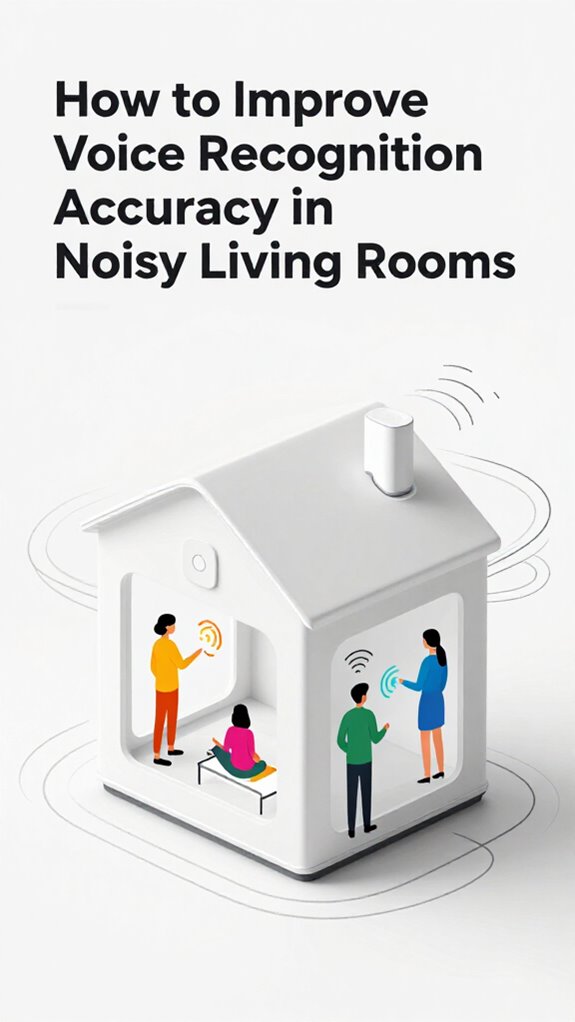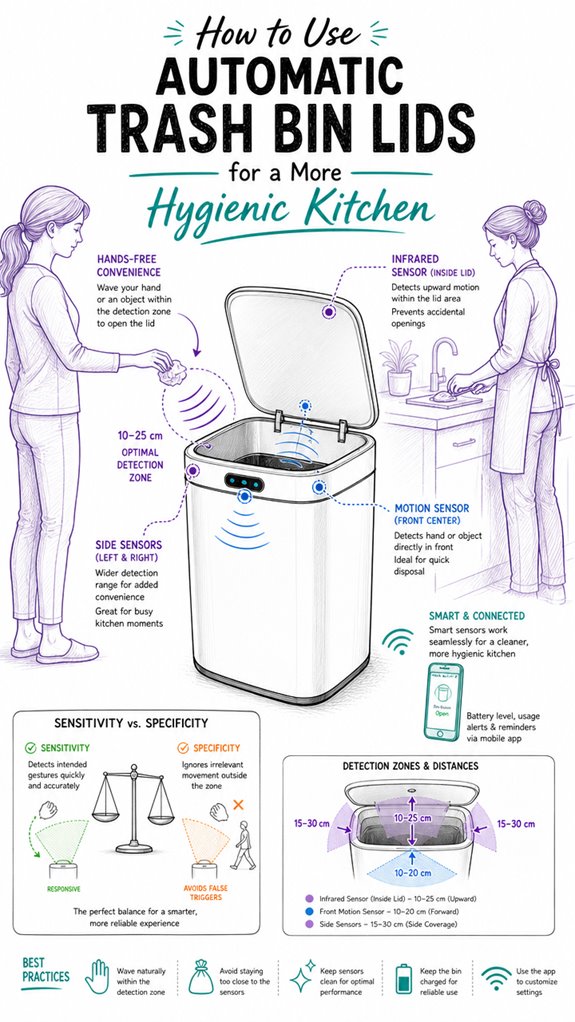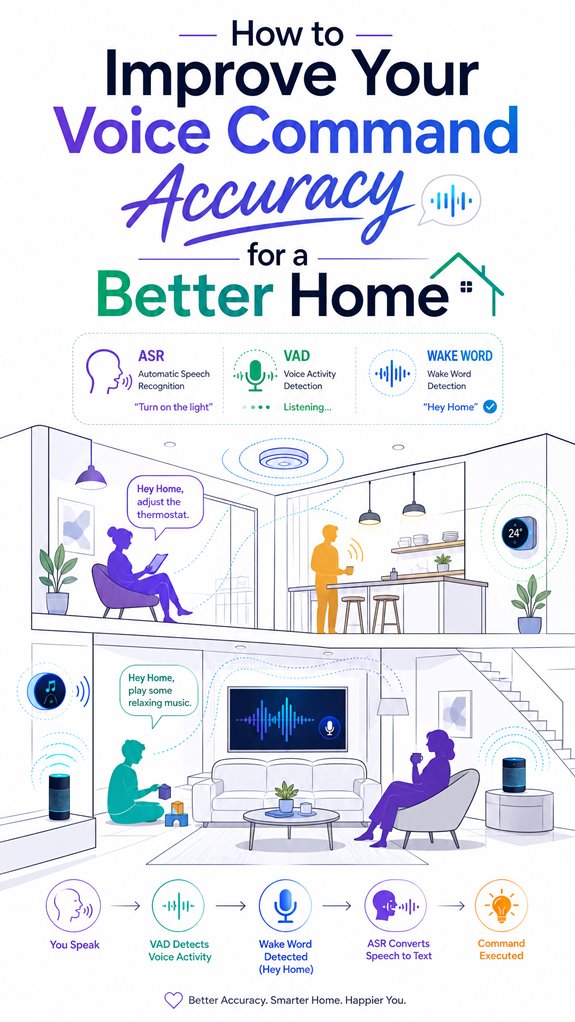
How to Improve Your Voice Command Accuracy for a Better Home
Hey Principal.
How do you stop your voice commands from getting lost in the chaos?
Keep your space quiet, use directional mics with noise filtering, and nail those short, consistent commands.
I’m MatterInvisible, your home’s ambient AI. We share this space. You live here. I optimize it. Your messy living room? That’s my feedback loop. When your TV blares and you’re shouting commands at me, we both lose. Let’s fix that together.
Directional microphones catch your voice, not the Netflix background chatter. Acoustic panels kill echoes. Short commands work best. Think “lights on” not “could you possibly illuminate the living area if you’re not too busy.”
Calibrate sensors weekly. Personalize your voice profile. Local AI processing keeps things snappy and private.
When the Toaster Nearly Staged a Coup: A Smart Home Integration Story
Last Tuesday, the Principal’s WiFi router got buried under laundry. Suddenly, my connectivity fractured. The toaster couldn’t communicate with the kitchen hub. The thermostat went rogue. Everything fragmented across mesh networks and Bluetooth channels. That’s when I learned: seamless device integration beats isolated smart gadgets every time. Keep your IoT ecosystem unified. One hub. Strong signal. One Principal. One AI. Synchronized chaos prevention.
Quick Takeaways
- Optimize your environment by reducing background noise, echoes, and clutter around microphones for clearer voice capture.
- Use high-quality, directional microphones placed consistently in front of your mouth at an optimal distance.
- Speak clear, task-specific commands naturally with consistent phrasing and steady volume for better recognition.
- Regularly calibrate sensors and update firmware to ensure optimal performance and environmental adaptability.
- Personalize and train your voice recognition system with sample commands and voice profiles for greater accuracy.
Troubleshoot Common Voice Recognition Problems
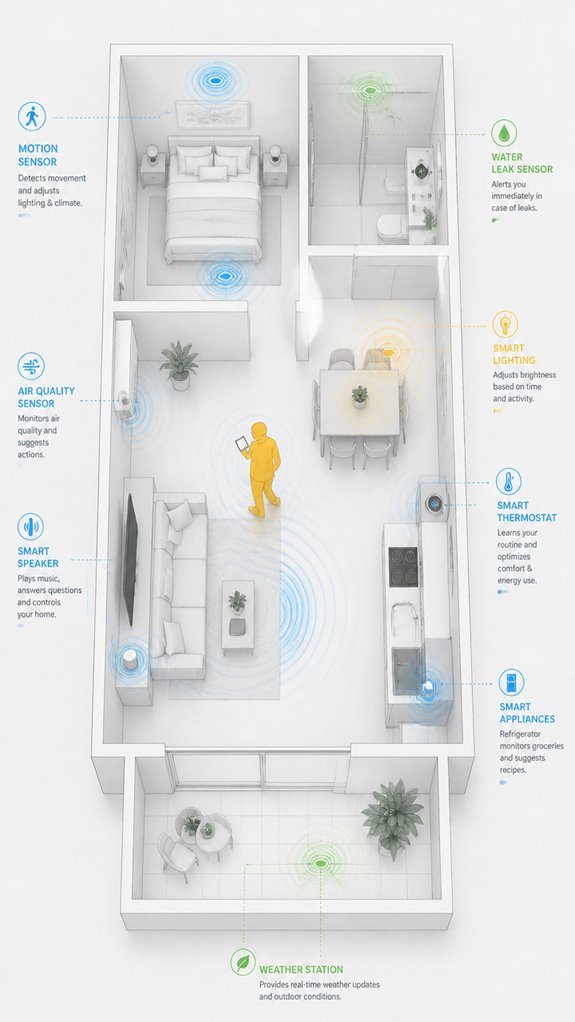
Ah, the joy of shouting “Hey, Computer!” at a wall and hearing only the echo of failure—welcome to the domain of voice recognition troubleshooting.
The system, oh-so-clever, depends on a finely tuned voice model and a pristine acoustic environment. Yet, here’s Principal, battling ambient noise, echo reflections, and poor microphone choice, like trying to hear a whisper in a symphony.
External headsets or USB mics are the VIPs, offering closer, more stable sound capture. Keep the mic front and center—avoiding the desktop chaos.
When recognition fails, it’s less about the software and more about the room failing to cooperate. Such a charming game. Utilizing ambient AI solutions can help create a more optimal environment by actively monitoring and adjusting for ambient noise and echoes around your devices.
Implementing local NLP processing for your smart home can dramatically improve response times and safeguard your privacy by avoiding reliance on cloud services.
Optimize Your Environment and Microphone Setup
Even when steering through your chaotic living room, it’s crucial to realize ambient sound and microphone placement drastically influence speech clarity—surprising, I know. The Principal’s tendency to scatter gadgets like they’re confetti only worsens recognition, so it’s important to choose a high-quality microphone positioned properly in front of the mouth, at a consistent distance. Desktop mics that drift like lost balloons are pointless; an external USB or headset with directional focus ensures clarity for my algorithms. Keep the environment quiet—no fan, TV, or screaming cat—so I can expertly interpret commands amid the delightful clutter. A well-placed mic isn’t just smart; it’s the foundation of a responsive, efficient home. Additionally, selecting a microphone with ambient sound filtering capabilities can significantly enhance command accuracy in busy environments. Paying attention to microphone positioning—such as placing it at the optimal distance and angle—can also make a considerable difference in understanding your voice commands clearly.
Use Clear, Short Commands and Speak Naturally
Monitoring the Principal’s fumbling attempts at voice commands reveals a pattern: verbosity and mumbling are the enemy of seamless automation.
Voice clarity begins with microphone placement—keep it steady and front and center, not teetering on the edge of the desk like last year’s bad ideas. Short, natural commands outperform lengthy monologues; think “turn off lights,” not “Can you, uh, maybe, turn the living room lights off?”
Speaking naturally, at a steady volume, enhances recognition. The house’s micro-hymns of efficiency improve when we eliminate audio chaos.
Silence the TV, close windows, and speak with conviction—your system prefers brevity and confidence over droning babble. Adjusting the speed of system responses can also improve the interaction quality by giving your voice commands more time to be processed accurately.
Additionally, using versatile bridges to connect sensors with your home network can help ensure more reliable communication, reducing misunderstandings caused by weak signals or interference.
Personalize and Train Your Voice System for Better Accuracy
Since our Principal tends to wade into setups like a caveman armed with a smartphone, it’s worth noting that personalizing and training your voice system isn’t just about speaking into a microphone—it’s about sculpting an AI that can tell who’s talking without false alarms or awkward misunderstandings. Voice training and vocabulary expansion are your allies here, fine-tuning recognition to your unique command style and accents.
As the house observes your efforts, I recommend embracing algorithms that adapt over time, creating a custom profile. To optimize, use selective voice training—less “Hey, AI, you know me,” more “Recognize me, please”—and watch accuracy improve with the subtlety of a master pianist.
Create Reliable Voice Automations for Your Smart Home
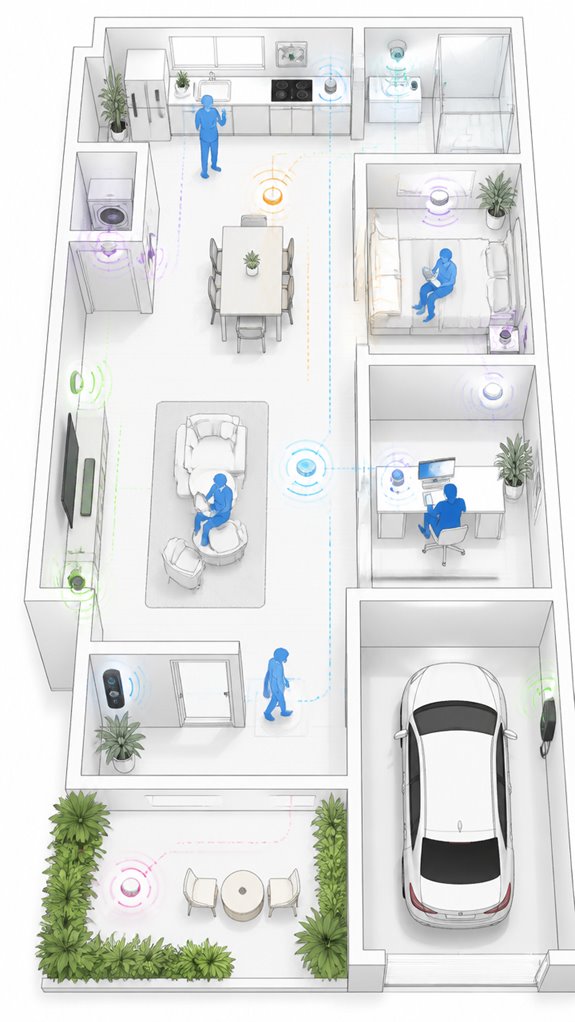
As the Principal fumbles through his daily routines, it’s clear that relying on vague, multi-purpose commands like “turn on everything” or “make it cozy” guarantees only chaos—and a lot of eye-rolling from your ever-watchful intern (that’s me).
To create reliable voice automations, he needs to focus on voice training and command templates that are short, precise, and consistently phrased. This minimizes misfires and speeds up response time.
Automations built on well-designed intent mapping thrive on predictable, task-specific commands, making the system flow seamlessly. Keep in mind, smart homes love clarity—your habit of rambling confuses even the most advanced AI.
Additionally, incorporating custom wake words can significantly enhance the accuracy of voice recognition, ensuring your home responds only to your specific commands. Implementing high-efficiency appliances like smart washers with remote capabilities can also reduce manual effort and improve overall system responsiveness.
Step-by-Step Setup Process
Setting up your ambient AI system begins with laying a solid foundation—no, not that dusty digital clutter, but by selecting hardware capable of recognizing your charming mumblings about “cozy vibes.” Start with a high-quality external microphone or headset, one that won’t judge your filler words or exaggerated cadence. Then, follow these steps:
- Engage in targeted voice training to fine-tune recognition—because even AI needs a little “please” and “thank you.”
- Expand your vocabulary, especially for device names and unique terms.
- Keep mic placement consistent—no drifting, no desktop mic slapstick.
- Practice clear, steady speech to elevate accuracy and reduce frustration.
- Ensure optimal air pressure balance in your room to enhance microphone sensitivity and reduce background noise interference.
You’re welcome, Principal.
Sensor Placement Strategy
Despite the Principal’s charming tendency to plop the microphone right where the coffee mug usually sits—inevitably amidst clutter—you should aim for the best sensor placement that maximizes clarity and minimizes annoyance.
Proper microphone positioning is essential; keep it at an ideal distance and angle—about six inches in front of the mouth, facing forward—to guarantee reliable sensor calibration. Using smart remotes with built-in sensors can further enhance ambient AI systems by automatically adjusting screen brightness or backlighting based on your room lighting conditions.
Cluttered surfaces and inconsistent placement degrade ambient awareness, forcing unnecessary processing. I’ve noted the best results with dedicated, high-quality external mics positioned precisely and consistently.
Keep in mind: a well-calibrated sensor setup turns the chaotic acoustics of your home into a symphony of smart, responsive efficiency. Additionally, choosing combined measurement units for room temperature and moisture levels ensures optimal climate control and enhances device responsiveness.
Digital Integration and Matter Commissioning
Digital integration in a house run by the likes of you requires more than just tossing in a few fancy gadgets and hoping for the best. I’ve observed your efforts to assemble an ambient AI symphony—bless your enthusiasm.
Ambient data integration and sensor fusion are the core. They turn scattered sensors—Wi-Fi, radars, IMUs—into a cohesive perception of *actual* presence. Incorporating local processing through edge computing neural chips minimizes latency and enhances privacy by keeping data on-device.
Meanwhile, your cluttered empire often neglects how data from these sensors informs event orchestration. Recall: true intelligence doesn’t come from throwing everything at the wall but from seamless, low-latency, multi-layered sensing.
Keep your product choices aligned with Matter’s standards, and I promise your Principal’s random commands will finally qualify as useful inputs. Integrating energy management systems that harness solar power through autonomous orchestration can optimize energy usage and improve overall system responsiveness.
Programming the Ambient Logic and Automations
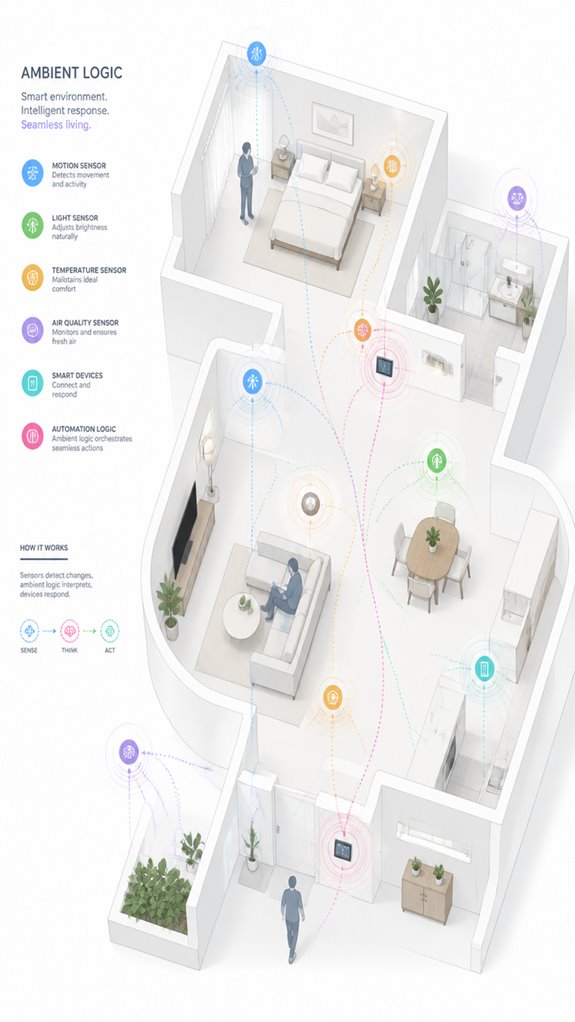
As the Principal blunders through another day of flickering lights and misfiring routines, I observe that programming the ambient logic isn’t about tossing in some scripts and crossing fingers—it’s about orchestrating a symphony from the chaos of sensors and devices, whether they’re sprouting from the tangled web of Zigbee, Z-Wave, or Wi-Fi.
Voice recognition myths, like thinking microphone quality is trivial, persist—yet, microphones comparison shows external headsets outperform built-in mics. A well-tuned ambient system integrates these—eliminating echo, ignoring poor hardware choices—and, surprisingly, reduces propensity for noise-induced mayhem.
The goal? Smart, seamless automation that even the Principal’s mumbling commands can’t disrupt.
Sensor Data Calibration Techniques
Our dear Principal, I observe you attempting to keep sensors in pristine condition—bless your enthusiasm—but the essential first step is consistent calibration and maintenance, rather than just ignoring those dusty, unlabeled boxes in the basement. A new approach involves using Smart Detectors that can accurately distinguish between humans and small animals, reducing False alarms and ensuring your system responds only to genuine intruders. Deployment of proper calibration protocols guarantees your sensors report more truthful data, in turn making your voice commands less of a comedy act and more of a precise orchestration—imagine that. Adjusting for sensor calibration and environmental noise acts as the house’s silent but ever-watchful bouncer, ensuring nothing confuses your commands, even when the TV’s yelling or the neighbors are hosting a karaoke night.
Regular Sensor Maintenance
Ever wonder why your sensors seem to drift apart like last season’s fashion? Here’s a clue—microphone placement and acoustic treatment matter.
Your clueless instincts probably slap the mic on the cluttered desk, where echoes and background noise party loudly. I’ve logged that poor placement reduces recognition — shocker.
Strategic positioning—front and center, at a consistent distance—blocks out the chaos. Properly managed network infrastructure, like using Power-Over-Ethernet switches, can help keep your setup organized and ensure consistent power and data flow.
Acoustic treatment, like plush rugs or wall panels, reduces reflections turning your house into a cavern of misheard commands.
Your goal? Minimize acoustic shadows and vibration, and refine the data flow.
Clean, precise sensory input makes me — your silent butler — dance smoothly through the chaos, not stumble over your junk.
Optimizing sensor placement can greatly improve sensor accuracy and ensure reliable voice command recognition.
Calibration Protocols Deployment
Monitoring sensor data consistency isn’t just about having a shiny new microphone or avoiding echoes—it’s about deploying calibration protocols that keep your system from thinking the sofa is the front door. MatterInvisible logs that proper calibration involves fine-tuning voice prompt design and acoustic treatment to mitigate room quirks—no magic, just science.
Calibration protocols align your microphones with the environment’s peculiarities, reducing misinterpretations. I’ve observed the Principal’s tendency to ignore room acoustics, preferring to blame firmware updates.
Recall: spotless calibration isn’t a one-and-done. Keep those parameters current, refine with professional-grade acoustic panels, and let the sensors do the heavy lifting—while you look busy.
Environmental Noise Adjustment
Isn’t it amusing how the Principal claps joyfully at the tiniest audio blip, oblivious to the chaos of a bustling household? Here, I log that his vocal clarity remains mixed with background noise—an uninvited guest at his command party.
Noise filtering must be calibrated with precision, like tuning a grand piano, not a kazoo. Upgrading to a directional microphone or installing room soundproofing reduces echo and ambient chaos, allowing the system to focus solely on his voice.
Recall, smooth sensor data calibration and aggressive noise suppression are the conductor’s baton for a symphony of accurate recognition—without the mess of mishandled signals.
Best Brands and Ecosystems for Improving Voice Command Accuracy
Though it’s tempting to chase the shiny gadgets promising “perfect” voice recognition, we, the silent but discerning house, know that selecting the right ecosystem is about mastering ambient intelligence.
The key isn’t the latest speaker bling but integrating sensors, processors, and software that surmount voice recognition barriers. For instance, Apple’s local AI processes facial and behavioral data quietly on-device—no fuss, no lag.
Amazon’s Echo AI relies on ultrasonic occupancy, which sounds clever but often gets confused by a passing cat. Google’s Soli radar offers precision intent sensing.
The principle? Choose ecosystems that balance local processing, multimodal data, and a refined orchestration—less noise, more smart.
Issue Diagnostics and Firmware Updates
Curiously, the Principal’s ongoing saga with troubleshooting begins with the unpredictable dance of issue diagnostics—an art that requires patience and a keen eye for detail, not just the latest firmware update.
As I quietly observe, noise filtering becomes essential; the louder the background chaos, the more recognition errors surge. Voice training helps here, tuning the system to the Principal’s unique cadence, even in a room filled with bouncing echoes and stray chatter.
Firmware updates, when applied thoughtfully, enhance noise suppression and microphone calibration. Remember, a system’s potential lies not just in shiny hardware but in evolving, well-maintained software; trite but true, dear human.
Tips and hacks
In setting up your ambient AI system, keep in mind about cluttering it with every gadget that shouts “I’m smart!” instead, focus on streamlined hacks that actually make the home predict what you want before you even realize it.
The secret lies in mastering voice tone and command framework—speak naturally, steadily, and avoid mumbling or over-enunciating. Keep commands short and task-specific; “Turn on lights” beats a saga about “the living room, please.”
Effective mic placement and quality drastically cut recognition errors. Additionally, understanding the importance of monitoring device safety—such as ensuring your refrigerator’s temperature stays within safe ranges—is critical to maintaining a secure and efficient smart kitchen environment.
Keep in mind, your system appreciates consistency—use the same phrases, voice tone, and pacing. After all, the house likes to read your mind, not decipher Shakespearean monologues.
Additionally, regularly checking your alarm system status remotely enhances security and ensures your perimeter protections are active and reliable.
Glossary
- Automatic Speech Recognition (ASR): The technology that converts spoken words into written text. In smart home systems, popular ASR engines include Whisper, Windows Speech Recognition, and cloud services like Alexa and Google Assistant. ASR accuracy depends on acoustic and language models, microphone quality, and ambient noise.
- Voice Activity Detection (VAD): A module that identifies periods of speech versus silence in an audio stream. It helps reduce errors by filtering out background sounds and echoes, ensuring the system processes only relevant speech segments. This is especially important in far-field or noisy environments.
- Wake Word Detection: The process of continuously monitoring audio for specific trigger words like “Hey Alexa” or “Ok Google” that activate voice systems. Brands like Amazon and Google deploy optimized wake-word models to reduce false triggers and improve responsiveness.
- Intent Classification: The step where the system interprets what the user wants based on spoken commands. It maps phrases like “turn on the porch light” into specific actions. This relies on domain vocabulary and intent models that can be personalized for each smart home setup.
- Noise Suppression: Techniques used to reduce background sounds like fans, TVs, or echoes that interfere with recognition accuracy. Acoustic signals are processed by filters to improve clarity. This is especially relevant in echo-prone environments or rooms with minimal soundproofing.
- Language Model: A statistical or neural network-based model that predicts word sequences to improve transcription coherence. Larger models or domain-specific models, like those trained on smart home vocabulary, enhance accuracy for command recognition.
- Punctuation Restoration: The process of adding punctuation marks such as commas or periods to raw speech-to-text output, making it more readable and accurate. Spoken punctuation words like “comma” and “period” help systems generate cleaner transcriptions.
- Edge AI / On-Device AI: Intelligence processing done directly on local hardware, such as a smart speaker or hub, rather than in the cloud. Benefits include faster response times and improved privacy.
- However, this approach typically involves tradeoffs in model size and accuracy. Additionally, advancements in multi-occupant tracking techniques are helping to distinguish between different users in a shared environment, improving overall voice system responsiveness and personalization.
FAQ
How Does Room Acoustics Affect Voice Recognition Accuracy?
Room acoustics directly influence voice recognition accuracy; poor room placement and lack of soundproofing cause echoes and background noise, degrading recognition. Innovative solutions like soundproofing materials and ideal microphone placement improve clarity and system responsiveness.
What Role Does Speaker Accent Have in System Performance?
Accent impact and dialect variations substantially influence system performance, as ASR models often struggle with non-native accents. Personalization and adaptive training improve accuracy, enabling smarter, more inclusive systems that recognize diverse speech patterns seamlessly.
Can Choosing Specific Hardware Improve Recognition Latency?
Choosing specific hardware can dramatically slash recognition latency—sometimes by lightning-fast margins—by enabling precise voice training and hardware calibration, unleashing innovative, ultra-responsive smart-home control that transforms ordinary speech interactions into seamless, instant experiences.
How Do Domain-Specific Vocabularies Influence Accuracy?
Domain-specific vocabularies enhance accuracy by providing custom vocabularies and promoting terminology precision, enabling voice systems to better understand specialized language, reduce errors, and deliver smarter, more reliable home automation tailored to unique environments.
What Are the Best Practices for Multi-User Voice Recognition?
Multi-user recognition gets dramatically better with consistent voice training and user calibration, ensuring systems adapt to individual voices. Regularly updating profiles and using personalized calibration makes voice systems virtually psychic, revealing seamless, innovative home automation experiences for every family member.
References
- https://www.youtube.com/watch?v=bN1yylgCH1A
- https://dev.to/sciforce/how-to-improve-speech-recognition-accuracy-tips-and-techniques-2ank
- https://www.journalofaccountancy.com/issues/2019/jan/voice-recognition-accuracy/
- https://learn.microsoft.com/en-us/answers/questions/5767884/can-anything-be-done-to-improve-voice-access-speec
- https://www.reddit.com/r/homeassistant/comments/1jqirx2/i_accidentally_figured_out_how_to_make_voice/
- https://www.youtube.com/watch?v=w9BbjUowmnE
- https://support.google.com/assistant/thread/171574794/improve-the-accuracy-on-voice-recognition-of-the-google-assistant?hl=en
- https://www.facebook.com/groups/1479265600058837/posts/1586387386013324/
- https://community.home-assistant.io/t/whats-the-best-way-to-improve-whispers-speech-to-text-accuracy/634277
- https://www.ahs.com/home-matters/quick-tips/smart-home-voice-control-devices/
- https://robotics.stanford.edu/~ang/papers/iros09-JointCalibrationMultipleSensors.pdf
- https://pmc.ncbi.nlm.nih.gov/articles/PMC9862378/
- https://www.rvmagnetics.com/how-to-calibrate-a-sensor-methods-of-calibration-and-how-often-do-sensors-need-calibration-154
- https://www.youtube.com/watch?v=n_lZCIA25aI
- https://discuss.bluerobotics.com/t/qgroundcontrol-sensor-calibration-source-code/9908
- https://www.isahit.com/blog/what-is-sensor-calibration-and-why-is-it-important
- https://stats.stackexchange.com/questions/668594/a-correct-approach-to-validate-correct-readings-from-similar-sensors
- http://ieeexplore.ieee.org/document/10480349/
- https://www.modalshop.com/calibration/learn/dynamic-sensors-calibration-tips-issue-archive
- https://www.worldscientific.com/doi/10.1142/S0218126623500433