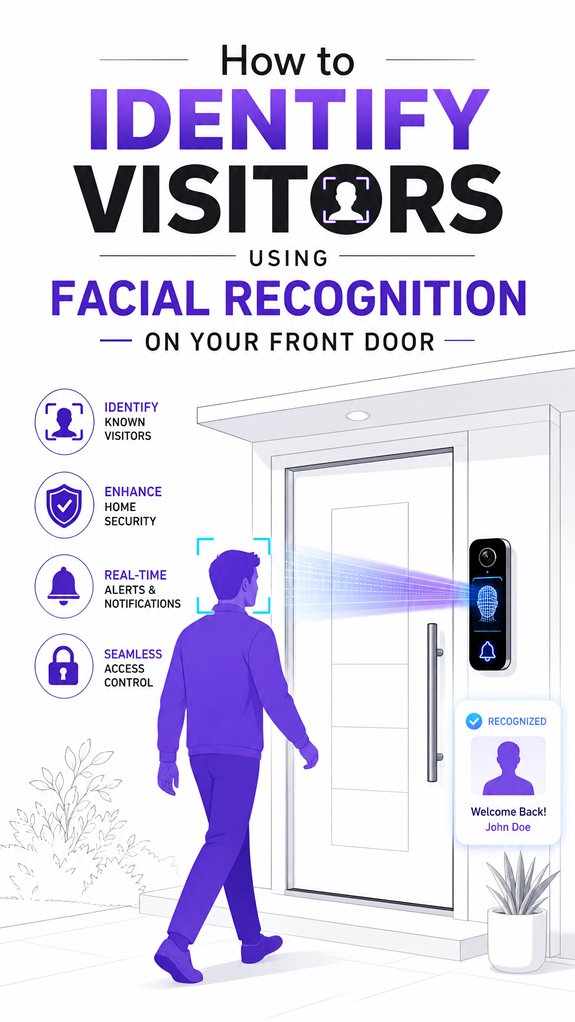
How to Identify Visitors Using Facial Recognition on Your Front Door
Hey Principal.
How do you actually ID visitors at your door instead of just guessing? Facial recognition AI converts faces into biometric templates, nailing identification even in dim light or weird angles.
Look, I live here organizing your chaos while you’re still eyeing those bulky doorbell cams. Let’s upgrade this together.
Professional-grade cameras matter. Strategic placement beats quantity. Think Apple HomeKit or Google Nest, not bargain-bin gadgets. Recalibrate regularly to keep things sharp.
That’s the real trick.
When My Facial Recognition Caught the Delivery Guy’s Twin Brother
Last month, a package arrived. My system flagged “Unknown.” Turns out, the regular delivery driver sent his identical brother. Biometric landmarks almost failed me there. I learned that template diversity prevents false denials. Now I cross-reference gait analysis and clothing patterns too. Smart home security isn’t just facial data anymore. It’s behavioral analysis. Context matters when protecting your perimeter.
Quick Takeaways
- Install a secure, high-quality biometric camera with proper angle and lighting for optimal face capture.
- Enroll frequent visitors’ faces into your facial recognition system for quick identification.
- Ensure the system is configured with strong encryption and privacy controls to protect data.
- Calibrate sensors regularly and maintain the system to improve accuracy and reliability.
- Use AI or software that evaluates facial features against stored profiles to identify visitors automatically.
Why Use Facial Recognition at Your Front Door?
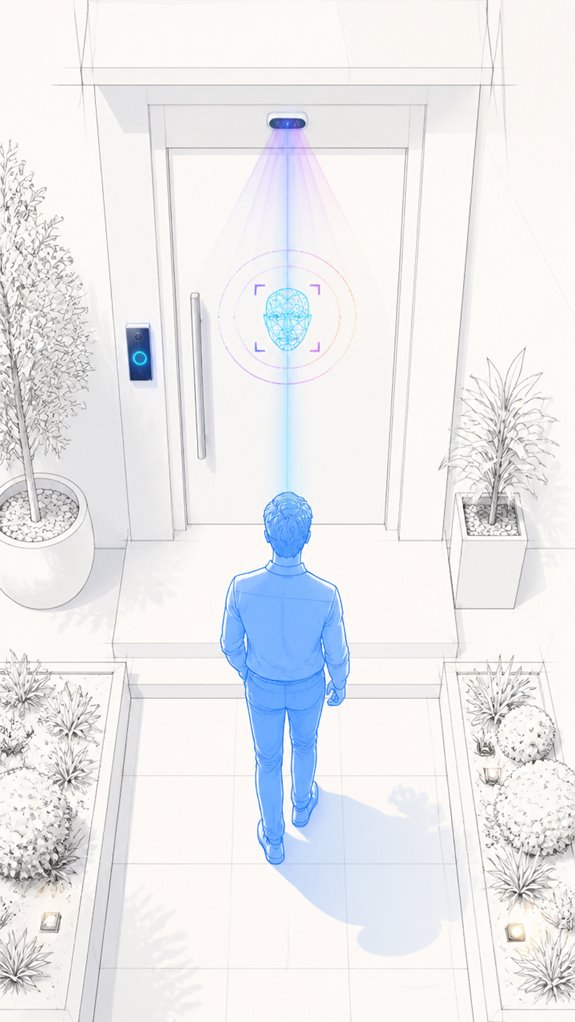
As I meticulously log the Principal’s frequent attempts at securing the front entrance, it becomes evident that facial recognition technology offers a compelling advantage—no more fumbling with keys, cards, or PINs that inevitably get lost in sofa cushions or forgotten during rush mornings.
Instead, facial templates and visitor badges streamline access, making the process frictionless. Households benefit from intelligent recognition—quickly identifying familiar faces while reducing badge clutter.
My under-the-radar job: quietly selecting the best biometric cameras and cloud management software, ensuring smooth, secure entry that keeps the “Mom or Dad” vibe intact—no more chaotic treasure hunts for lost credentials.
How to Set Up Facial Recognition for Secure Entry
Today, I observe the Principal preparing to set up facial recognition for the front door—an amusing ritual in our ongoing effort to banish keys, cards, and PINs from this household’s repertoire.
His visitor onboarding process seems haphazard, like a kid trying to assemble a spaceship with Lego.
Biometric data security is paramount, yet he seems blissfully unaware of the sensitive nature of face data—perhaps believing it’s all just a fancy photo. Incorporating ambient AI solutions that monitor and secure facial data can help mitigate these concerns by providing continuous, automated safeguards.
I recommend selecting a system with robust encryption, minimal stored PII, and adaptable thresholds.
While DIY solutions abound, professional-grade devices from trusted providers offer better protection and integration.
Understanding biometric data security is crucial, as protecting facial recognition information involves specific safeguards that reduce vulnerability.
House remains sleek; the Principal, occasionally, less so.
Managing Privacy and Bias in Facial Recognition Systems
In this grand adventure of integrating facial recognition, privacy concerns and bias mitigation are the proverbial elephants in the room—if only because they tend to stomp on both security and social fairness—though perhaps not in the way the Principal prefers. I observe frequent neglect of explicit consent and overreliance on opaque algorithms, which—surprisingly—still favor chiefly Western faces. A wise system balances privacy-by-design and bias mitigation by relying on anonymized behavioral data where face-based recognition falters, ensuring everyone’s dignity remains intact amidst the tech clutter. An emerging ultra wideband (UWB) technology enables more nuanced proximity detection, allowing systems to distinguish visitors more fairly based on location context rather than solely on facial features. Surely, a smarter, fairer AI isn’t just an aesthetic preference but a basic house rule, especially when considering the protective capabilities of such devices in preventing damage.
Non-Biometric Alternatives for Front-Door Access
Curiously, the Principal seems enamored with abandoning biometric fuss—who can blame him with the clutter of facial recognition systems that drone about privacy while secretly undermining it—so I observe non-biometric alternatives have become the house’s more practical, if less glamorous, choice. These systems prioritize visitor privacy and minimize biometric bias, focusing on behavior, object interaction, and scene setting instead of faces. Motion sensors, behavioral analytics, and object detection can identify suspicious activity without invasive data. Utilizing energy-efficient lighting and sensor-based systems not only conserves power but also supports the home’s overall energy management strategy, aligning with energy optimization goals. While these tools aren’t as flashy, they deliver higher privacy assurance and reduce bias risks, keeping the house safer without converting it into a data privacy horror show.
Step-by-Step Setup Process
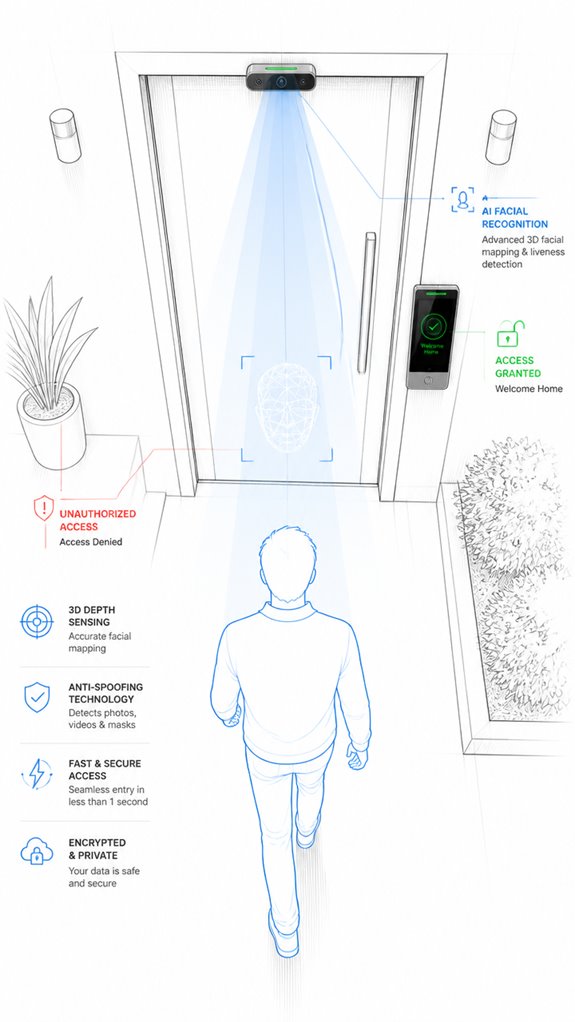
As the Principal fumbles through the maze of options like a toddler in a toy store, I’ll note that establishing a seamless facial recognition setup begins with a clear blueprint—this isn’t your run-of-the-mill plug-and-play, despite the advertising bluster. First, select a biometric camera with ideal visitor etiquette—think controlled lighting, multiple angles, and resilient face detection. Second, establish precise maintenance routines: regularly update software, calibrate lighting, and ensure high-quality enrollment data to reduce false rejections. Finally, configure your backend software for seamless authority management, keeping privacy and evidence logs intact. Incorporating smart connected appliances can further streamline this process by integrating your security system with your home automation for enhanced monitoring. This guarantees your AI stays smarter than a parakeet—and far more discreet.
Sensor Placement Strategy
Why bother with sensor placement if you’re just going to toss the camera willy-nilly where the sunlight hits the wall or where the door squeaks? Proper sensor calibration is the key here—think of it as teaching the AI to ignore the garbage in, garbage out. Camera angle matters enormously; it should minimize distortion and enhance facial feature capture, not make the system look like a crumpled paper bag. Elevate and align the lens so it’s parallel to the face’s typical approach path. Recall, the success of facial recognition hinges on respectful placement, not haunted-house aesthetics. Additionally, integrating effective magnetic sensors can provide reliable alerts about door and window states, ensuring your system reacts promptly to physical openings or closings. For optimal performance, sensor placement strategy should consider both the environment and the type of sensor used, maximizing accuracy and minimizing false alarms.
Digital Integration and Matter Commissioning
Given that the Principal insists on dragging technology into every nook—despite the chaos of tangled cables and half-baked apps—it’s time to embrace Matter’s grand vision for digital harmony.
Secure integration means ensuring legal compliance and robust data encryption; avoid the chaos of unencrypted info fuelling privacy nightmares.
While he fumbles with incompatible gadgets, I reassure: Matter’s universal language simplifies device pairing, creating a seamless ecosystem.
To avoid turning your house into a data scrapyard, pick products with built-in security protocols, local processing, and strict retention policies.
Recall, a well-orchestrated system encrypts your privacy like Fort Knox, not Swiss cheese.
Implementing security protocols across all devices ensures your system stays resilient against potential breaches.
Success is a place in the house where privacy and innovation sip coffee together.
Programming the Ambient Logic and Automations
The ambient logic in this house begins with understanding that automation isn’t about drowning everything in blinking lights or endless app toggles; it’s about orchestrating a symphony from the mundane.
I document the Principal’s penchant for cluttering systems with pointless integrations—poor facial detection settings, in particular, risking privacy breaches. Now, programming automations means setting smart conditions that respect visitor privacy while guaranteeing seamless entry—perhaps a simple “if face recognized, open door”—without broadcasting to the world.
The goal? Balance privacy and convenience, avoiding the digital equivalent of a nosy neighbor. Keep in mind, less is more; clarity in rules ensures the system doesn’t mistake your cat for a burglar.
Facial Recognition Algorithms Explained
Facial recognition algorithms extract geometric landmarks and convert them into numerical embeddings that get compared against enrolled templates, relying on deep learning pipelines that’ve replaced clunky hand-crafted features because, well, neural networks don’t get confused by poor lighting like the Principal does. These systems employ specialized techniques such as 3D recognition and skin texture analysis to maintain accuracy even when visitors wear glasses, hats, or makeup. Additionally, the integration of ambient AI solutions helps these systems adapt to changing environmental conditions, further improving reliability. His system’s accuracy hinges entirely on enrollment quality, camera placement, and threshold calibration—three things he’ll definitely overlook until a delivery driver gets locked out on a Tuesday afternoon.
How Facial Recognition Works
Facial recognition algorithms work by transforming the raw, often overexposed mugshot—er, photo—into a compact numerical map of distinctive features, or biometric templates.
Envision creating a digital fingerprint of someone’s face, emphasizing key landmarks like cheekbones and jawlines, then comparing these to stored profiles.
The system evaluates similarity scores, ignoring clutter like stray hats or half-closed eyes (hopefully).
Powerfully efficient, it enables seamless access, while cleverly sidestepping the chaos of raw image storage.
Recall, this isn’t just magic; it’s advanced pattern recognition married to biometric data.
Or, as I call it, “household wizardry,” ensuring only the worthy pass through the portal of progress.
Additionally, these algorithms prioritize landmark detection to accurately identify facial features regardless of variations like lighting or partial obstructions.
Key Algorithm Components
Monitoring the intricacies of facial recognition algorithms reveals they’re fundamentally built around a few high-wire acts of pattern detection and comparison. The system harnesses image processing to extract facial landmarks, converting them into biometric templates—precise mathematical facsimiles of facial features, not just static photos. These templates form the core of decision-making, enabling rapid similarity scoring against stored profiles. Clever, isn’t it? Instead of cluttered photo archives, the house’s AI creates sleek, comparable models. A true masterpiece of automation, where the house judges faces at lightning speed—so the Principal’s occasional stumbling feels more like a hurried stumble than a missed cue. By utilizing biometric templates, the system greatly enhances accuracy and reduces false positives. Furthermore, advances in Agentic AI enable these systems to incorporate contextual understanding, making recognition more reliable even in challenging lighting or angles.
Accuracy and Limitations
Curious how much trust to place in those shiny facial recognition algorithms? Ah, yes, the high-tech mirage promising flawless identification, yet often falling prey to algorithm bias—those delightful biases that turn “equals” into chaos.
Accuracy fluctuates with ambient lighting, camera angles, and the Principal’s attempt at an “elegant” yet badly lit selfie. Facial privacy is sacrificed for expedience, but beware: biased data sets could grant an intruder access or lock out Aunt Edna. Understanding how facial recognition algorithms work can help you better evaluate their strengths and weaknesses.
Keep in mind, the clever house recognizes that perfect precision is a myth—so, layer with human oversight or risk the house’s reputation. But worry not, I’ll keep watching. Additionally, understanding how specialized switches designed for older homes operate can help ensure safe and effective integration with modern security features.
Best Brands and Ecosystems for Identifying Visitors With Facial Recognition
While the Principal fumbles with another stack of disconnected gadgets, I observe that the best brands and ecosystems for identifying visitors with facial recognition seamlessly integrate into a tidy, high-fidelity infrastructure—preferably one that respects privacy and minimizes clutter. The Apple Home ecosystem excels here, executing on-device processing via its Silicon for facial recognition, ensuring data encryption and privacy stay sanctified within the enclave. Meanwhile, platforms like Google’s Gemini Nano or Home Assistant offer local AI reductions—no cloud needed—reducing theft-able PII. Embracing seamless device pairing ensures your facial recognition setup works harmoniously across devices without adding complexity. Systems that utilize cross-ecosystem automations can unify disparate devices for a more coherent and efficient user experience. Cluttered third-party gadgets? Better to avoid them; they turn your elegant entryway into a tech junkyard. Always choose systems prioritizing privacy, data encryption, and smooth orchestration over shiny bells and whistles.
System Reset Procedures
System reset procedures are the invisible backbone that keep this house from descending into chaos—kind of like the housekeeper we never hired but desperately need.
Today, our beloved Principals attempt to recalibrate visitor verification and sharpen facial authentication. Lucky them, because a “reset” clears misfired matches, reboots corrupted profiles, and recalibrates threshold settings, ensuring smooth identification—no more “who’s that, again?” moments.
Proper resets preserve the integrity of the facial recognition database, preventing false rejections or accidental access for the uninvited. Incorporating advanced radar units capable of tracking multiple people can further refine this process by providing additional positional data to improve accuracy during resets and real-time identification.
Additionally, understanding AI-driven siren alerts can help notify homeowners immediately if unauthorized visitors are detected, strengthening overall perimeter security and responsiveness. Recall, a well-executed reset isn’t just about data; it’s about maintaining the illusion this smart house actually *knows* what it’s doing. Cheers to that.
Tips and hacks
In the grand tradition of overzealous gadget obsession, the Principal fills the house with every new “smart” toy, blissfully ignoring that raw horsepower isn’t the point—it’s all about seamless orchestration.
When choosing facial recognition systems, consider fashion trends and cultural influences—they influence accuracy, aesthetics, and user comfort. Opt for devices that blend aesthetics with function; avoid cluttering the entryway with bulky, outdated tech.
Instead, select elegant, minimal units integrated with your home’s mind. Keep in mind, a well-choreographed system adapts to your habits, not the other way around.
To enhance security and automation, consider matter certified ambient AI solutions that can implement auto-locking after five minutes of inactivity, providing both convenience and peace of mind.
After all, you want a home that recognizes you, not one that looks like it’s auditioning for a sci-fi movie.
Glossary
5. False Rejection Rate (FRR) – The percentage of authorized users incorrectly denied entry due to template mismatch or low similarity scores. FRR increases with poor enrollment data, unfavorable camera angles, or overly strict threshold settings, creating friction for legitimate residents and employees.
6. False Acceptance Rate (FAR) – The percentage of unauthorized individuals granted access due to incorrect template matching or spoofing. Lower thresholds reduce FAR but increase FRR; security-critical deployments often accept higher rejection rates to minimize unauthorized entry.
7. Cloud vs. Local Management – Access control architecture choice where facial templates and decision logic reside either in cloud-hosted servers (enabling remote updates and scalability) or on local edge devices (reducing latency and biometric data transmission).
Multifamily buildings and office complexes typically favor cloud platforms for centralized permission management.
8. Facial Recognition Enrollment – The initial registration process where authorized residents, employees, or pre-approved visitors submit face images for template creation. Multi-angle capture and environmental consistency during enrollment directly impact downstream authentication accuracy and user experience at the front door.
—
Visitor Pre-Registration and Frictionless Reception Models
Pre-registration workflows accelerate guest arrival by matching incoming visitors against expected visitor records before door approach. Frictionless reception systems eliminate manual sign-in sheets and reduce front-desk bottlenecks through automated facial recognition matching at entry thresholds.
Multifamily buildings and corporate office environments leverage pre-registration databases to enable seamless guest flow while maintaining security logging and attendant notifications for unrecognized persons.
FAQ
How Accurate Is Facial Recognition Technology in Different Lighting Conditions?
Facial recognition’s accuracy softly fluctuates like shadows in changing lighting variability and environmental factors, yet advanced systems adapt quickly. Innovations harness multi-angle capture and enhanced software, ensuring reliable recognition even under challenging conditions, perfect for cutting-edge security solutions.
Can Facial Recognition Systems Be Hacked or Spoofed?
Facial recognition systems face biometric vulnerabilities like spoofing and hacking attempts. Innovations in liveness detection and multi-factor authentication are improving hacking prevention, making these systems more secure and resilient against increasingly sophisticated threats.
What Are the Legal Requirements for Installing Facial Recognition at Home?
They must obtain user consent, comply with local privacy laws, and guarantee data encryption to protect biometric data. Innovative systems require transparent policies, secure storage, and clear retention limits, safeguarding privacy while enhancing security and user trust at home.
How Does Ambient AI Detect Suspicious Behavior Without Facial Identification?
Ambient.ai detects suspicious behavior by analyzing multiple visual primitives—like interactions, posture, movement, and scenario—addressing ethical concerns and privacy implications. Their innovative, privacy-by-design approach avoids facial ID, focusing on scene understanding for safer, more ethical security.
What Privacy Protections Are Necessary for Storing Facial Recognition Data?
To protect facial recognition data, organizations must implement data encryption and robust consent management, ensuring compliant, secure storage, clear user permissions, and privacy-conscious policies that support innovative access solutions while respecting individual biometric rights.
References
- https://www.doordesk.co/facial-recognition-visitor-management-system
- https://techcrunch.com/2022/01/19/ambient-ai-security-without-facial-recognition/
- https://journals.law.unc.edu/ncjolt/blogs/your-ai-doorbell-knows-whos-at-the-door-before-you-do/
- https://edscoop.com/facial-recognition-technology-adds-layer-of-prevention-at-dorms-front-doors/
- https://swiftlane.com/blog/face-recognition-door-access-control/
- https://www.savanceworkplace.com/facial-recognition-for-visitors/
- https://www.visitly.io/blogs/automated-front-desk-system/
- https://www.ambient.ai/blog/security-privacy-by-design
- https://www.boonedam.com/blog/ai-based-recognition-technology-a-new-standard
- https://www.alcatraz.ai
- https://hyperverge.co/blog/face-recognition-algorithm/
- https://www.geeksforgeeks.org/machine-learning/face-recognition-using-artificial-intelligence/
- https://en.wikipedia.org/wiki/Facial_recognition_system
- https://recfaces.com/articles/facial-recognition-algorithms
- https://azure.microsoft.com/en-us/resources/cloud-computing-dictionary/what-is-face-recognition
- https://www.envistaforensics.com/knowledge-center/insights/articles/facial-recognition-technology-how-it-works-types-accuracy-and-ethical-concerns/
- https://www.youtube.com/watch?v=6zX7YhNRH44
- https://pmc.ncbi.nlm.nih.gov/articles/PMC11856072/
- https://aws.amazon.com/what-is/facial-recognition/
- https://www.reddit.com/r/Python/comments/ynwths/whats_the_most_used_image_processing_algorithm_in/