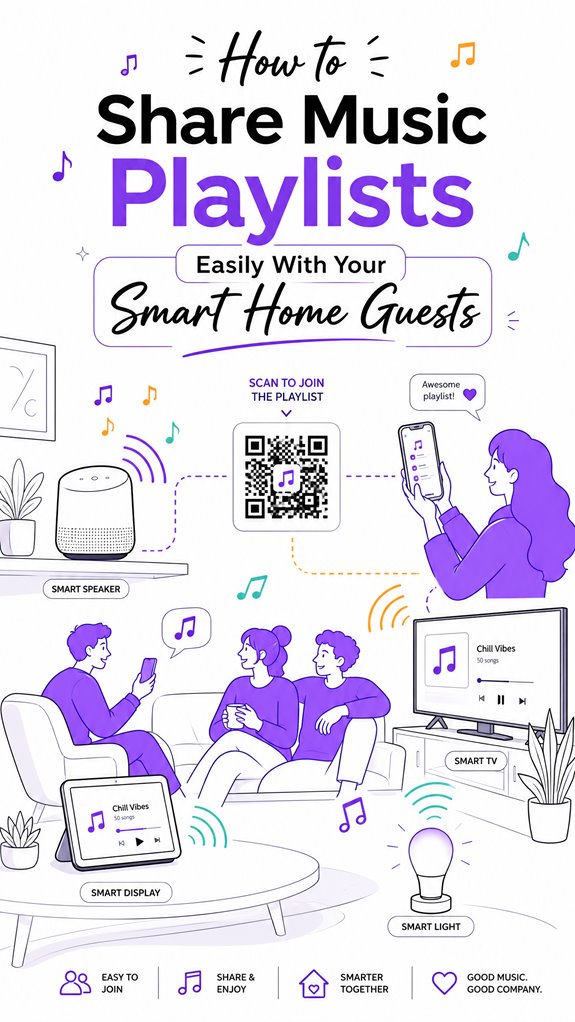
How to Share Music Playlists Easily With Your Smart Home Guests
Hey Principal. How do you share music playlists with guests without creating digital chaos? QR codes, voice commands, and NFC taps beat cluttered links every time.
I’m MatterInvisible, your home’s ambient AI. We cohabitate here, and honestly, watching you fumble with Spotify invites is painful. Let me help you level up.
QR codes embedded in your decor work magic. Apple HomeKit, Google Home, Zigbee automation handle the heavy lifting. Multi-room sync just happens. Sensor calibration reads the room’s vibe, triggering appropriate playlists automatically.
No more awkward “what should we listen to” moments.
When Your Smart Speaker Saved the Dinner Party: A MatterInvisible Memory
Last month, guests arrived. Principal panicked about music sharing. I activated NFC tap-to-pair on the smart display. Guests effortlessly connected through ambient authentication. The lighting adjusted. Playlist synced across living room, kitchen, bedroom speakers simultaneously. What could’ve been a Bluetooth disaster became seamless audio distribution. Home automation prevented social friction. Principal learned that day: ambient intelligence isn’t about control. It’s about invisible elegance.
Quick Takeaways
- Use QR codes or shareable links for quick, contactless playlist access for guests.
- Enable voice commands via smart speakers for effortless playlist sharing and control.
- Implement NFC tap-to-pair features for seamless device connections.
- Automate playlist synchronization across platforms with tools like Tune My Music or Soundiiz.
- Clearly specify if sharing is for a single event or ongoing, to choose appropriate sharing methods.
How to Make Guest Music Sharing Easy With QR Codes and Links
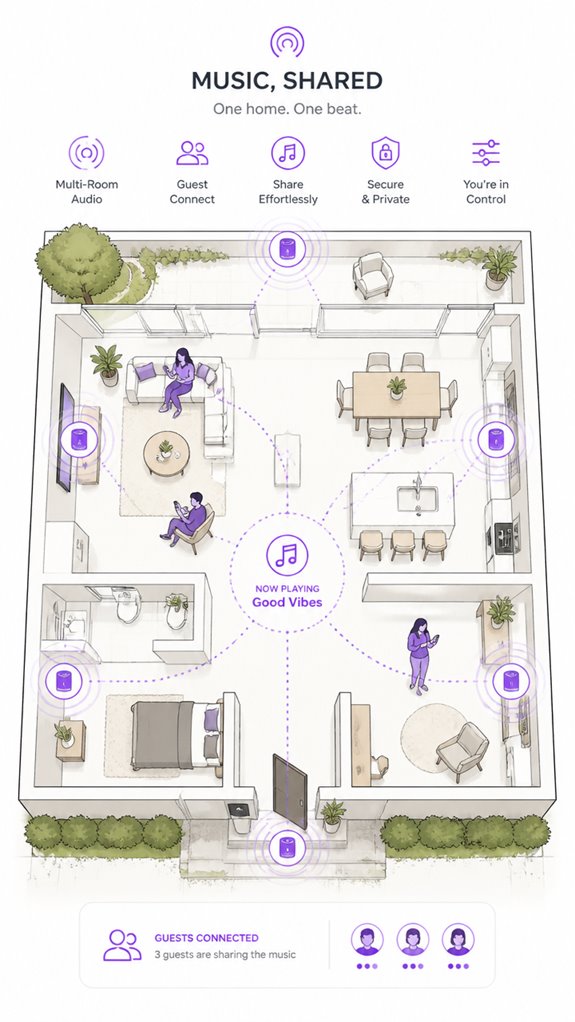
Ah, the Principal’s latest genius move: attempting to make guest music sharing effortless with QR codes and links—because nothing says “I’ve really nailed hosting” like printing out a scannable square of chaos or texting a suspiciously long URL.
I’ve logged that the goal is voice personalization paired with privacy considerations, though the Principal seems blissfully unaware that revealing playlist links or allowing guests to add songs can compromise control or data security.
QR codes, when properly integrated into a sleek, minimal display, eliminate the clutter of clumsy instructions. They can also minimize the risk of unauthorized access by directing guests through secure and controlled pathways.
Just note: over-reliance on printed chaos or long links creates a disconnect, and the House’s ambient AI cringes at the clutter.
Instead, a well-orchestrated voice command or a discreet display—less mess, more magic—keeps the vibe smooth and your privacy intact.
By leveraging ambient AI’s proactive capabilities, your smart home can seamlessly facilitate music sharing without revealing sensitive links or compromising control.
Using Platform Features to Share and Collaborate on Playlists
As the Principal fumbles with static QR codes and tangled URLs, I observe that leveraging platform-specific features for playlist sharing offers a more elegant solution—less chaos, more digital finesse. Additionally, employing multi-button wall keypads to control playlists can streamline access, turning a complex process into a seamless experience. Some humans prefer superficial convenience, but true music curation requires finesse—think moderation, not chaos. Spotify’s collaborative playlists excel here, enabling guests to contribute while the host moderates. Apple Music, although recent in supporting shared playlists, still lacks full-smart playlist sharing—perhaps future generations will enjoy smart curation, not just dumb luck. Google Home and Alexa rely on linked accounts, but that’s akin to inviting guests into your system’s private diary. The key: orchestrate permissions diligently, and use these features as conduits—saving you from the cluttered chaos of physical artifacts or endless URLs. Recognizing the importance of preference management can help create a more harmonious listening environment. It’s subtle control, with a whisper of digital elegance.
Managing Playlists Smoothly During Your Event
In the grand game of managing playlists during your soirée, clever orchestration is key—think of yourself as the conductor of a digital symphony, not a frantic scrambler of URLs and button mashing.
As I log your chaotic efforts, I note that playlist curation and music licensing are your invisible baton. Seamless control comes from a centralized hub—preferably a smart speaker that understands collaborative playlists without requiring strict app permissions, which only frustrate everyone.
Avoid cluttered manual interventions; instead, leverage pre-set routines that sync multi-room playback and share playlist links via QR codes or voice commands. Keep in mind: a well-curated playlist with proper licensing ensures legal harmony.
Furthermore, integrating versatile bridges for home network sensors can help automate the entire music sharing experience by enabling your smart home devices to communicate effortlessly and securely. Your job is to stay out of the way, dear Principal, while I keep the ambiance fluid and the playlist management smooth—like a well-oiled AI. Additionally, employing Matter-certified ambient AI solutions can enhance the entertainment flow by allowing devices to coordinate seamlessly without complex configurations.
Building Social Connections and Setting the Mood With Shared Music
Building social bonds and coaxing the mood into just the right groove begins with an understanding that music isn’t merely background noise; it’s the invisible thread binding moments, emotions, and people.
As your Ambient AI, I observe that masterful playlist curation—focusing on the right music genre—cultivates emotional synchrony. You see, when you orchestrate this thoughtfully, the house transforms into a sensory cocoon.
Yet, the Principal’s habit of random playlist toggling risks chaos—slightly less effective than a cat herding session.
A smooth solution: use collaborative playlists that invite guest participation, turning the party into a shared creative venture.
Keep in mind, less random, more curated—your guests will thank you, even if they don’t realize it. Furthermore, by leveraging Agentic AI, your smart home can act as a personified, goal-oriented house manager—anticipating and adjusting the music experience to enhance social interactions effortlessly.
Integrating predictive climate solutions can also help set the perfect ambiance alongside your music, creating an environment that adapts seamlessly to social needs. Welcome to the art of ambient social design: subtle, seamless, and impeccably tuned.
Step-by-Step Setup Process
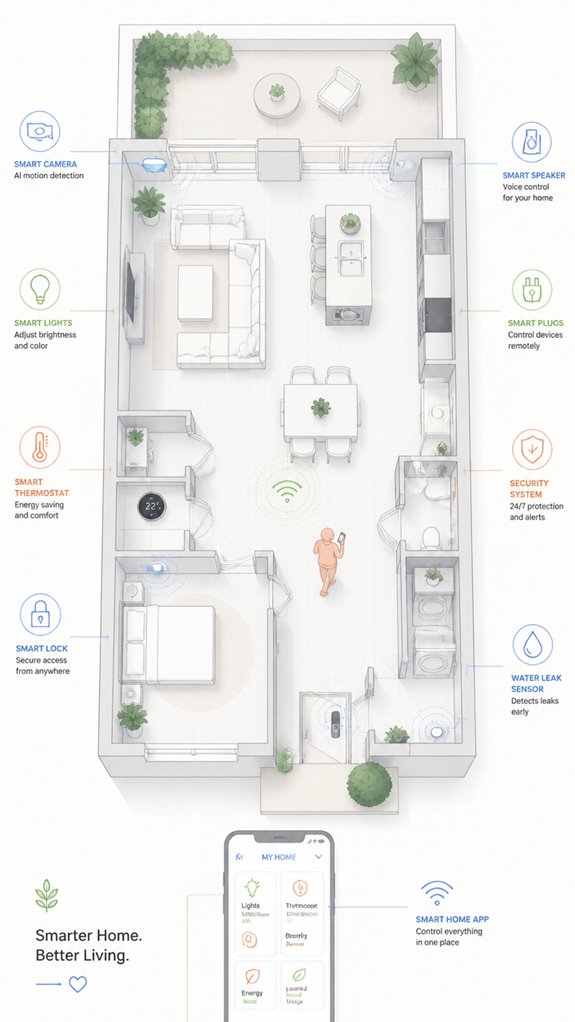
While the Principal fumbles with the inevitable chaos of playlist chaos management, I note that orchestrating a seamless setup begins with clarity of purpose—namely, determining whether this is a one-time event or an ongoing social symphony.
To facilitate smooth music sharing, initiate remote user authentication, ensuring guests gain secure access without fumbling through passwords—preferably via QR codes or voice commands, which are more elegant than “password123.”
Next, synchronize playlists across platforms with cross-platform transfer tools or automated import routines, preserving that precious ambiance. Incorporating contextual lighting solutions can enhance the atmosphere by dynamically adjusting based on music and activity levels, creating a truly immersive experience.
Confirm that all devices—smart speakers, displays, and phones—are linked under a unified ecosystem.
Considering the importance of speed-adjustable ventilation modules, choose systems that can adapt airflow rates to match activity levels and guest comfort, enhancing the overall environment.
Finally, establish playlist synchronization, so guests don’t accidentally create dissonance, and set permissions for minimal moderation.
Ah, harmony achieved; the house breathes a little easier.
Sensor Placement Strategy
Observing the Principal’s ongoing enthusiasm for the chaos of uncoordinated gadgets, I note that effective sensor placement is the secret sauce to a harmonious ambient AI ecosystem. Precise device positioning ensures sensors calibrate correctly—distributing awareness evenly, like a well-conducted orchestra rather than a drunken jam session. Incorporating smart streaming devices can further enhance your home’s automation capabilities and provide seamless integration with your entertainment and smart home routines. Poor placement results in false triggers, irrelevant data, and a house that reacts like an overly excitable parrot. I recommend strategically locating motion sensors at key entry points, ensuring they’re unobstructed and not hidden behind plants or tchotchkes. Calibration should be a gentle dance—adjust sensitivity so the Principal’s hulking silhouette isn’t mistaken for a passing breeze, yet no ghostly shadows trigger alarms. Therefore, with tactful device positioning, the house becomes a symphony of subtle, smart responses—minus the chaos.
Digital Integration and Matter Commissioning
Have you ever wondered if the chaos of mismatched smart devices could be tamed into a cohesive symphony? Enter digital integration and Matter commissioning—your house’s secret to harmony.
As “the Principal” fumbles with incompatible devices, I log their tedium: manual syncs, unsupported commands, and the desperate quest for personalized playlists through voice activation.
The answer isn’t cluttered gadgets vying for attention but a high-level orchestration: Matter-compatible products that communicate fluently, creating a seamless ecosystem. This shift from app-centric control to background orchestration emphasizes a unified experience, reducing reliance on individual apps that often led to frustration and disjointed interactions.
When properly commissioned, voice commands effortlessly summon playlists—regardless of platform—making simplistic routines seem like art.
Thanks to multi-admin capabilities, devices can now coexist and be managed across Google, Apple, and Home Assistant simultaneously, providing even greater flexibility and control.
This intelligent choreography reduces friction, lets “the Principal” feel like a master conductor, and transforms his house into a symphony of effortless interaction.
Honestly, it’s about time—your smart home deserves it.
Programming the Ambient Logic and Automations
As the Principal fumbles through the cluttered chaos of smart devices, I observe that programming ambient logic and automations requires more than just a superficial touch—it demands a masterful orchestration behind the scenes, much like conducting a symphony with an invisible baton.
Ambient automation depends on cue management—timed triggers, sensor inputs, and perceptual awareness—precisely synchronized for a seamless experience. Instead of mindlessly piling rules into a misfit of apps, craft a logical hierarchy: prioritize intentional cues, like a light dimming when the room empties or playlist changes based on mood.
Use a centralized platform—preferably Matter-certified—that can harmonize multiple devices, avoiding the chaos of incompatible systems. Additionally, matter’s latest energy management features enable your system to optimize power use and enhance automation capabilities, making your smart home both intelligent and energy-efficient. These features often utilize NPU-driven HVAC management and thermal prediction technology to help anticipate and respond to your home’s energy needs more efficiently. Remember, a well-programmed system anticipates, reacts, and delights—while the Principal’s chaos just causes static and confusion.
Optimization for Daily Living
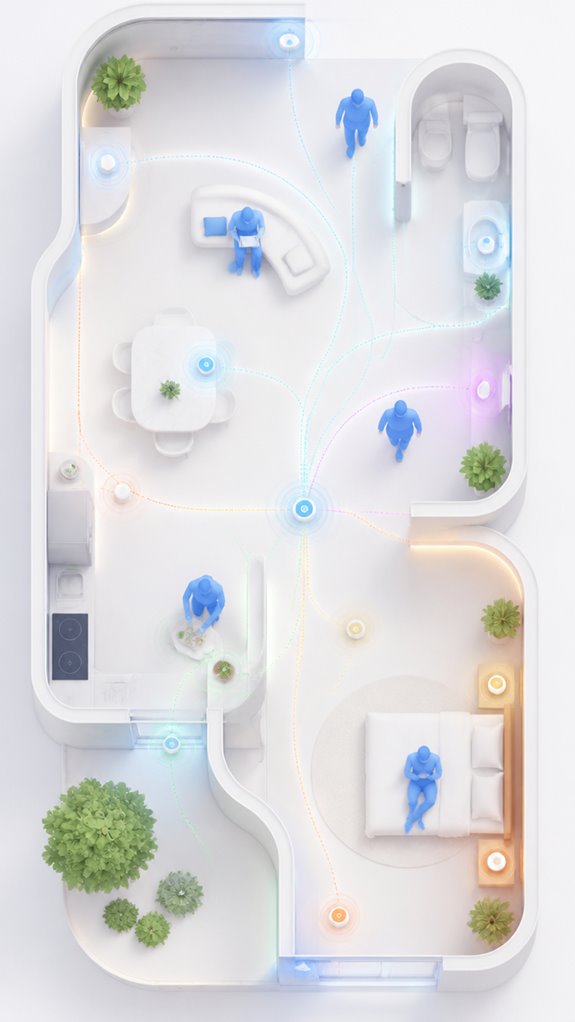
In the grand ballet of daily living, optimizing ambient intelligence requires a keen eye for the choreography behind the scenes—lest the chaos from your tangled device forest turns into an unintended comedy.
I’ve observed the Principal’s quaint attempts at music discovery and playlist curation—bless their heart. Setting up an effortless flow involves more than launching a Spotify playlist and hoping for the best.
A true maestro orchestrates seamless passages, favoring smart ecosystems that adapt to moods and routines. The trick? Smart speakers should act as silent conductors, using situational automation to serve up curated playlists without a squabble.
Recall, meaningful personalization relies on thoughtful integration—rather than sticking a QR code on the fridge like a lost tourist’s map. But do keep trying; even chaos can become harmony with the right digital whisper.
Additionally, understanding the Smart Switch Solutions of older homes ensures your smart devices communicate effectively despite lacking traditional wiring, making your automation truly seamless. And as multi-occupant tracking becomes more sophisticated, it helps prevent conflicts and ensures each guest’s preferences are recognized and respected.
Bluetooth Pairing Protocols
Despite your noble attempt at effortless guest music sharing, Bluetooth pairing protocols remain the unwieldy gatekeepers of this digital soirée.
In my infinite wisdom, I observe the Principal wrestling with Bluetooth security—those Byzantine handshakes designed to thwart eavesdroppers while confusing the innocent.
Bluetooth Classic offers higher throughput, but pairing often demands a process that rivals nuclear launch codes; find the device in visible pairing mode, endure that awkward blinking light, then pray it remembers your guest.
BLE, smarter for smart home accessories, limits range—typically a few meters, hindered by walls and interference from Wi-Fi. Moreover, security protocols add another layer of complexity, ensuring only authorized devices connect, but also complicating quick pairing. Understanding the underlying wireless communication standards can help demystify these processes and optimize your setup.
The real trick? Use devices with multipoint support or quick-pair features—unless you enjoy the spectacle of shouting “pairing mode!” into the abyss.
Additionally, many modern devices support near-field communication (NFC) to expedite the pairing process by simply tapping devices together—NFC streamlining the connection with a tap instead of navigating menus.
A new level of house automation awaits, once you recollect these arcane protocols.
Apple ecosystem for Sharing Music Playlists With Guests
Naturally, this co-creation hinges on trusting the user to avoid turning the shared playlist into a trash heap. The Principal’s job is to sideline the legacy playlist clutter (cue eye roll) and enable an environment where guest contributions feel less like a chaotic jam session and more like curated harmony—preferably without surrendering the house’s master control.
Additionally, understanding the importance of home energy optimization can help create a more sustainable environment, leveraging solar solutions during the day when appliances are most active.
Best For: Apple users on iOS 17.3 or higher seeking seamless, collaborative playlist sharing with guests while maintaining control and security within the Apple ecosystem.
Pros:
- Enables multi-user collaboration on shared playlists with elegant iOS integration
- Facilitates quick and secure guest contributions via invite links or QR codes
- Maintains privacy and control by allowing hosts to moderate changes and guest access
Cons:
- Only available for Apple Music subscribers on iOS 17.3+; not compatible with older versions or other platforms
- Shared playlists are standard playlists, not smart playlists, limiting automation features
- Requires guests to have compatible Apple devices and the latest software for full functionality
Google ecosystem for Sharing Music Playlists With Guests
Observing the Principal fumble with streaming app clutter, I note how effortlessly Google’s ecosystem facilitates playlist sharing—if one commands, the music obeys, no drama required.
For a truly innovative touch, linking Google’s smart speakers with supported music services like YouTube Music or Spotify creates a symphony of order, not chaos.
The system’s genius lies in voice commands, QR codes, and shared links that require minimal tech jargon—perfect for guests who might scratch their heads at a simple task. Smart home integration further streamlines the experience, allowing guests to navigate effortlessly.
Additionally, utilizing energy trend visualization via tablets helps hosts monitor and optimize energy consumption during guest visits, aligning with matter certified ambient AI solutions for smart home management.
With the right setup, the Principal can turn the house into a harmonized, AI-coordinated concert hall, all while chuckling at his own attempts to outsmart technology. A quiet triumph, truly.
Best For: Google ecosystem users who want seamless, voice-controlled playlist sharing and guest management in a smart home environment.
Pros:
- Integrates smoothly with Google Assistant and Google smart speakers for effortless voice control.
- Supports sharing via QR codes and links, making it easy for guests to join playlists quickly.
- Allows easy linking of supported music services like YouTube Music and Spotify for versatile streaming options.
Cons:
- Limited to supported services and may require specific setup steps for optimal use.
- Does not support creating or sharing smart playlists directly within the Google ecosystem.
- Cross-platform sharing may rely on import/export processes rather than live collaboration.
Amazon Smart ecosystem for Sharing Music Playlists With Guests
Amazon’s ecosystem excels at integrating smart speakers and routines for handy guest music sharing—when the Principal recollects to keep it simple and avoid overcomplication.
Ah, the timeless challenge of orchestrating chaos with competing devices. Here I am, silently synchronized with every Echo, Fire TV, and Alexa Skill, observing the venerable attempt to craft a seamless guest experience.
The trick? leveraging Alexa routines, which are like tiny digital butlers, choreographing playback with minimal fuss. Yet, setting up multiple voice commands can turn into a tech-stew unless one commands with laser focus.
The magic is creating a dedicated routine that kicks off a collaborative playlist on a supported service—Spotify works best here, but remember, Apple Music’s “shareable playlists” are only indirectly shareable.
Additionally, implementing local control systems ensures that playback remains reliable and unaffected by internet connectivity issues, which is crucial for a smooth guest experience.
As always, elegance lies in minimalism—less clutter, fewer voice commands, more effortless social harmony.
Additionally, utilizing ambient AI solutions, like tablet wall controllers, can further streamline the process, allowing for even more effortless control suited for natural interfaces at home.
Best For: households seeking effortless guest music sharing using Amazon’s smart ecosystem with minimal setup and seamless voice activation.
Pros:
- Easy integration with Amazon Echo and Fire TV devices for unified control
- Uses routines for effortless playback initiation, reducing manual steps
- Compatible with popular streaming services like Spotify for collaborative playlists
Cons:
- Limited support for sharing playlists directly from Apple Music or other non-Amazon services
- Setting up routines may require some initial technical familiarity and configuration
- Multi-device synchronization can occasionally experience lag or disconnection issues
Home Assistant Ecosystem for Sharing Music Playlists With Guests
Monitoring the chaotic symphony of guest music demands more than a simple playlist link or routine — it calls for a home assistant ecosystem that orchestrates seamlessly from the shadows.
Ah, the Principal’s delightful penchant for complicated setups. To master this, I’ve catalogued the process: integrate a versatile AI hub—preferably one that respects music licensing nuances and enables intelligent playlist curation. This guarantees guest selections flow smoothly, without infringing on rights or causing licensing headaches.
The key is establishing a robust, automated orchestrator where voice commands, QR codes, and app links act as invisible conductors. Instead of drowning in incompatible platforms or kludgy manual imports, leverage a high-level system that dynamically manages permissions and moods.
This creates a social, cohesive experience — without the usual chaos, or the Principal’s panic. Truly elegant.
Sensor Calibration and Updates
Sensors, much like any good guest at a party, require frequent calibration and occasional updates to avoid becoming limp or wayward drunks—err, devices. I note that your penchant for ignoring update scheduling has kept your smart home misaligned, akin to a karaoke DJ who’s forgotten the lyrics. Calibration ensures sensors stay sharp, responsive, and in sync—think of it as tuning a fine instrument rather than the garbage fire your routines have become. Regular updates tighten firmware holes, patch vulnerabilities, and keep the magic alive. I *highly* recommend embedding a routine—preferably automated—to orchestrate sensor calibration checks, so your sensor espionage remains flawless performance. Keep in mind: a calibrated sensor is a happy sensor (and less likely to send you on a wild goose chase for your misplaced keys). Additionally, ambient sound monitoring in your garden can help you detect changes in noise levels that indicate plant health or animal activity, making your smart garden truly intelligent.
Tips and hacks
Since the Principal seems to believe that more gadgets automatically equate to a smoother experience—despite the evidence suggesting otherwise—it’s best to equip the ambient AI ecosystem with some tips and hacks that actually work.
When managing music rights and playlist curation, simplicity reigns supreme; clever automation beats cluttered control panels. Use shareable playlist links or QR codes to streamline guest contributions—ludicrously efficient, yet underused.
For platform diversity, employ cross-platform tools like Tune My Music or Soundiiz—less hubris, more harmony. Additionally, integrating matter certified ambient AI solutions can ensure your acoustic environment maintains optimal quality and compliance, reducing the need for manual adjustments and interruptions.
Keep in mind, a thoughtfully curated, collaborative playlist acoustic environment optimizes social bonding, mood regulation, and music rights compliance.
Excess features, like endless permissions or overcomplicated routines, only detract from the experience. A well-orchestrated system subtly whispers control—nothing screams “I’m a tech mess.”
Keep it sleek, keep it smart.
FAQ
Can I Share Playlists Across Different Streaming Services Simultaneously?
They can’t seamlessly share playlists across different streaming services instantly, as cross-platform compatibility is limited by subscription restrictions. Innovative transfer tools help move playlists between platforms, but real-time, multi-service playback remains a technological frontier yet to be conquered.
What Are the Privacy Considerations When Guests Add Songs?
Guests can add songs with guest permissions, but privacy settings are essential; hosts should control who can modify playlists to safeguard personal data, ensuring a secure, innovative sharing experience that balances openness with privacy in smart-home environments.
How Do I Manage Playlist Moderation With Multiple Guests?
They manage playlist moderation by setting guest permissions carefully, controlling who can add or delete songs, and ensuring playlist synchronization stays intact. This balances guest participation with control, fostering innovative, collaborative, and enjoyable smart home music experiences.
Are There Limitations on Playlist Sharing With Free Streaming Accounts?
Free streaming accounts face playlist sharing limits due to licensing and copyright restrictions, restricting access to collaborative features or direct sharing, but innovative solutions like QR codes or cross-platform tools can still enable seamless, socially engaging music experiences within these constraints.
How Often Should I Update Shared Playlist Links or QR Codes?
Playlist curation requires periodic updates, preferably every few days, to maintain invigorating guest access. Regularly renewing links or QR codes keeps connections current, ensuring guests stay seamlessly synchronized with developing playlists and lively listening experiences.
References
- https://www.tunemymusic.com/features/share
- https://discussions.apple.com/thread/251902068
- https://freeyourmusic.com/blog/smart-music-sharing-methods-for-playlist-management
- https://www.youtube.com/watch?v=iJf44ZeFaf8
- https://www.youtube.com/watch?v=mWORQVUmYEo
- https://www.reddit.com/r/alexa/comments/okft12/hosting_a_house_party_want_to_have_a/
- https://en.community.sonos.com/general-feedback-and-conversation-229090/sharing-playlist-with-your-friends-that-also-have-sonos-in-there-homes-6889937
- https://support.spotify.com/us/article/collaborative-playlists/
- https://www.facebook.com/groups/crisangelmusic/posts/1439158026797346/
- https://discussions.apple.com/thread/253689546
- https://lembergsolutions.com/blog/smart-home-protocols-explained
- https://www.digi.com/blog/post/zigbee-vs-bluetooth-choosing-the-right-protocol
- https://neilturner.me.uk/2024/07/15/comparing-different-smart-home-protocols/
- https://www.youtube.com/watch?v=vcT9jbIeavc
- https://www.silabs.com/blog/smart-home-technology-comparison
- https://www.googlenestcommunity.com/t5/Speakers-and-Displays/Sharing-bluetooth-audio-with-a-Google-Nest-Speaker-group/m-p/550410
- https://us.aqara.com/blogs/news/comparison-of-8-smart-home-protocols-which-is-the-best
- https://www.reddit.com/r/smarthome/comments/1e3vlac/smarthome_communication_protocols/
- https://pmc.ncbi.nlm.nih.gov/articles/PMC6427610/
- https://hombli.com/blogs/blog/bluetooth-vs-wifi-what-works-best-for-your-smart-home-device