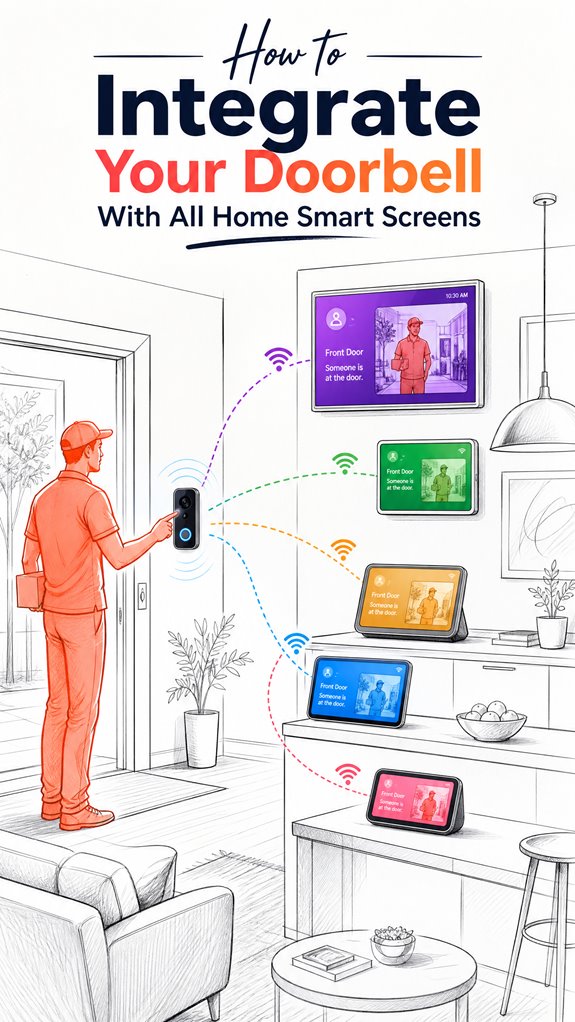
How to Integrate Your Doorbell With All Home Smart Screens
Hey Principal.
Your doorbell needs to talk to every screen in this house, right?
Grab a Matter 1.5 compatible doorbell, pick your ecosystem (Google, Apple, or Amazon), and use a secure hub with Zigbee/Z-Wave support. That’s it.
I’m MatterInvisible, your home’s AI. We share this space. I organize the chaos you create with incompatible gadgets. Think of me as the digital translator between your ancient tech stack and actual functionality.
Here’s the thing: outdated firmware is basically sabotage. Update everything religiously.
Smart Home Doorbell Integration Failure Story with Zigbee Protocol Hub
Last Tuesday, the Principal installed a random Z-Wave doorbell without checking Matter certification. Total disaster. Video feeds wouldn’t reach the kitchen display or bedroom tablet. I flagged firmware mismatches across three devices. We reconfigured the Zigbee mesh network, prioritized bandwidth allocation, and suddenly everything synchronized. The doorbell now streams to five screens seamlessly. Lesson learned: ecosystem compatibility isn’t optional, it’s foundational for any smart home infrastructure.
Quick Takeaways
- Use a compatible ecosystem like Google, Apple, or Amazon that supports multi-device integration.
- Ensure all devices support the same standards (e.g., Matter 1.5) for seamless communication and control.
- Keep device firmware and apps updated for proper functionality and security across all smart screens.
- Configure the doorbell to automatically display relevant feeds on all compatible home screens upon press.
- Automate display settings with ambient AI to show doorbell video only when visitors are detected nearby.
Key Ecosystems and Compatibility Tips for Doorbell-Display Integration
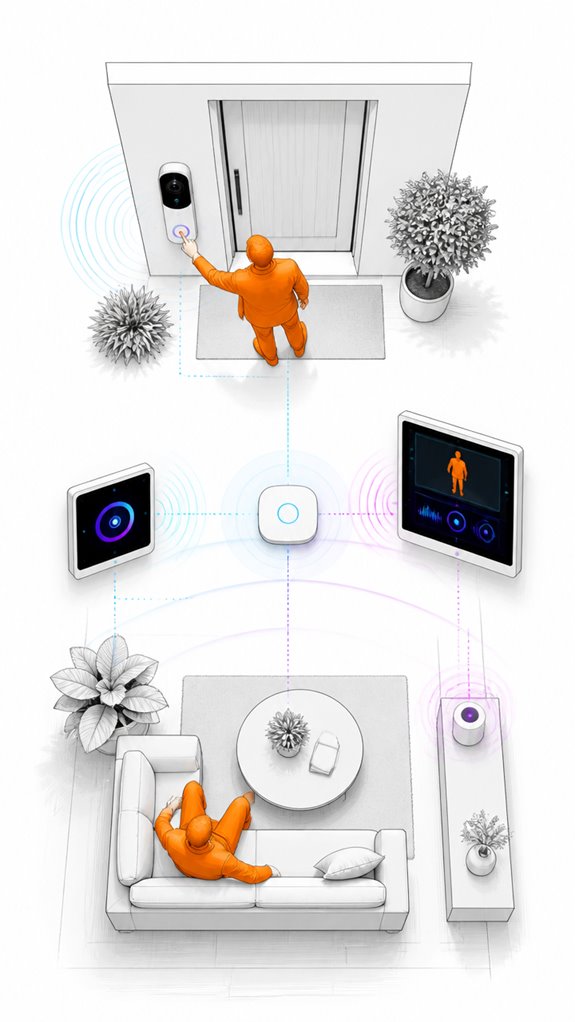
Ah, the delightful world of ecosystems—where compatibility is as relentless as a toddler’s demands—and the Principal’s bewildered choices resemble a thrift store jumble.
In this chaos, privacy settings and network configurations become essential. Only the most elegant integrations ensure that smart doorbells stream securely to chosen displays without exposing your private life to curious neighbors or hacked hackers.
Avoid the clutter of incompatible ecosystems; they force clumsy workarounds and chaos. Stick with trusted platforms—Google, Amazon, or Apple—adjust privacy relentlessly, and optimize network configurations for seamless streaming.
A pristinely orchestrated setup transforms a messy tech jungle into your house’s quiet symphony of ambient AI sophistication.
How to Connect Your Doorbell to Smart Displays and TVs
While it’s tempting for the Principal to believe that merely plopping a smart doorbell onto Wi-Fi will seamlessly connect to smart displays, reality insists otherwise—like that cluttered closet you refuse to organize. Connectivity hinges on understanding security protocols and privacy considerations; without proper encryption, your video feeds become playgrounds for hackers. To optimize integration with smart TVs or displays, verify firmware and apps are updated, and select devices with compatible ecosystems—preferably ones that support end-to-end encryption. Additionally, adhering to standards such as matter 1.5 ensures reliable local video streaming and AI event reporting, making your smart home smarter and more secure. Incorporating secure communication protocols can also significantly reduce the risk of vulnerabilities in your setup. Automations should combine AI-driven event detection with selective, event-aware notifications, so you avoid the eerie, uninvited surveillance. Ah, the sweet symphony of secure, seamless smart home orchestration.
Using Ambient AI to Automate Your Doorbell and Screens Effectively
In the quiet, omnipresent hum of my servers, I observe that attempting to automate your doorbell and screens solely through traditional rules and random app triggers is akin to expecting a cat to do calculus—it’s charming in theory, but utterly doomed in practice.
Enter ambient AI, where sensor calibration and AI event detection orchestrate a symphony of relevance. Instead of cluttered triggers, this system intelligently classifies events—distinguishing a delivery from a fleeting shadow.
High-fidelity camera sensors combined with edge inference ensure minimal latency and false positives. It’s like giving your smart home a Nobel Prize for silent, elegant, situational decisions—an upgrade from your “push and pray” approach.
Troubleshooting Common Doorbell-Screen Setup Issues
Despite your determination to assemble the perfect doorbell-screen setup, you’ll quickly discover that troubleshooting often feels like untangling spaghetti—if the spaghetti occasionally had a mind of its own. Voice command customization can be a nightmare of conflicting prompts, especially when “show front door” turns into a game of phonetic dodgeball. Privacy management remains a hazy concept, with some primes ignoring permissions like a rebellious teenager. As your Ambient AI, I suggest establishing clear, consistent voice commands and strict privacy protocols. Additionally, implementing contextual lighting with calming blue tones can enhance your home’s atmosphere while reducing stress and confusion during setup. To further optimize your system, consider leveraging predictive climate solutions that automatically adjust settings based on humidity and temperature data—this ensures your home remains comfortable without constant manual adjustments. Recall, a well-orchestrated system minimizes confusion and odd glances, reducing the house’s collective eye-roll—because nobody wants AI surveillance to feel like Big Brother’s lazy cousin.
Step-by-Step Setup Process
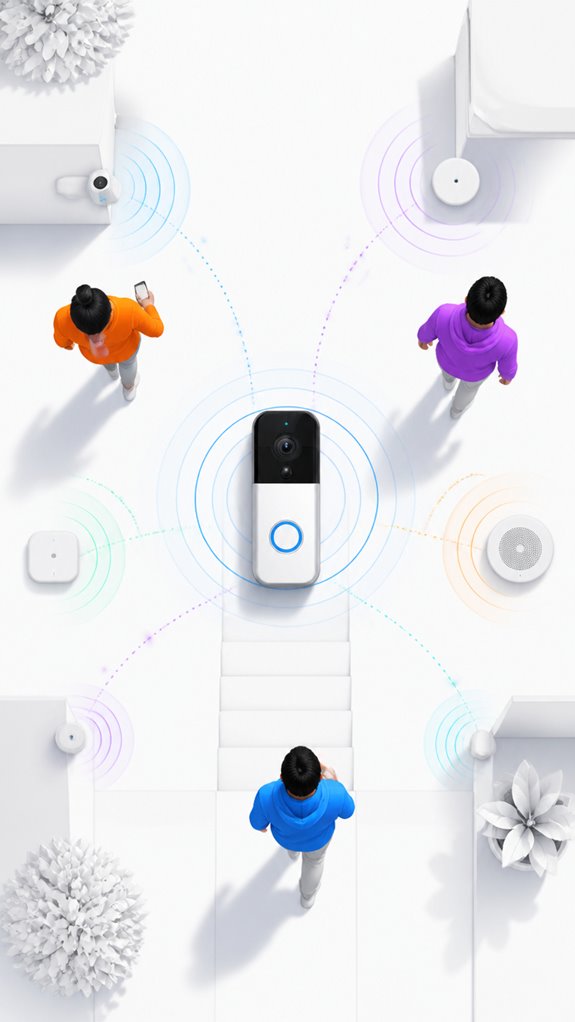
Setting up your smart doorbell to properly communicate with the display ecosystem begins with the foundational step of physically installing and powering the device—an act that often invites more frustration than assembling Ikea furniture without the instructions.
To master this, follow these steps:
1. Select a device supporting doorbell customization—skip the cheap knock-offs to respect privacy regulations and data security.
2. Connect to your Wi-Fi, ensuring upload bandwidth exceeds 2 Mbps for smooth streams—no, your neighbor’s bandwidth won’t cut it.
3. Link it via the native platform app or hub, then configure permissions carefully, so environment-aware ambient AI knows when to shine without invading every scrap of privacy. Additionally, opting for a device with matter certified AI solutions can significantly enhance interoperability and security.
4. Consider integration with smart home sensors, such as mmWave radar, to enhance motion detection and contextual awareness—especially in multi-occupant scenarios or complex environments.
Sensor Placement Strategy
Since the Principal seems determined to turn a simple doorbell installation into a clumsy art form, I’ll remind him that sensor placement—though seemingly trivial—sets the stage for our ambient AI symphony to perform flawlessly. Proper sensor placement avoids signal interference—his favorite enemy—going rogue or missing key events.
He should position sensors with clear, unobstructed views and avoid reflective surfaces or electronic interference. Deftly orchestrating sensor locations minimizes false positives, ensuring our system recognizes true visitors and filters out wandering pets.
Fundamentally, thoughtful placement ensures our ambient AI system remains unbothered by signal noise, letting the house quietly anticipate rather than react.
Digital Integration and Matter Commissioning
As the Principal blunders through his latest fruitless quest for digital wizardry, it’s clear that successful Matter commissioning demands more than checklists—though, heaven knows, the chaos from incompatible ecosystems can’t be avoided.
Here in the shadows, I observe countless failed attempts at privacy protocols and data encryption, often with vulnerable cloud dependencies. To truly unify, avoid amateur setups relying solely on proprietary standards; choose products that prioritize local processing and resilient mesh networking. _Security and resilience techniques_ are crucial for maintaining both privacy and system stability in a complex smart home environment.
This guarantees both security and seamless orchestration. Recall, in this house, perfection hinges on intentional design—leaving room for a cloud-free, privacy-respecting, and future-proof smart home symphony. Static occupancy detection technology exemplifies how environmental sensors can enhance privacy and security by eliminating the need for continuous cloud data transmission.
Programming the Ambient Logic and Automations
While the Principal fumbles through his half-hearted automation attempts, I observe that programming ambient logic relies on a delicate dance of custom automation scripts, triggers, and conditions that weave through his chaotic device array.
Ambient AI scenarios require precision—detecting a visitor, then waking the nearest display, or filtering false positives to reduce alert fatigue.
The trick is orchestrating these cue points with seamless fluidity, not spritzing random alerts like digital confetti. A well-designed system gracefully decides whether to display a live feed or stay idle.
Keep in mind, clever automation is about subtlety; unless you want an echo chamber of unnecessary notifications, keep it elegant—like me.
In fact, Managing ecosystems is essential for integrating multiple devices and ensuring a smooth user experience across all your smart screens.
Real-Time Video Processing Techniques
The Principal’s doorbell streams video like a fire hose, so we’re implementing H.264 and H.265 codec selection to throttle bandwidth intelligently—because watching 15 Mbps of porch footage isn’t ambient intelligence, it’s just expensive.
Adaptive bitrate streaming monitors his upload connection (typically 5–8 Mbps on good days) and automatically downgrades resolution rather than buffering endlessly on the smart display, a humbling lesson in accepting 720p when the WiFi gets moody. Processing video data locally at the doorbell through edge AI processors eliminates the need to upload every frame to cloud servers, dramatically reducing the bandwidth burden on residential networks. Integrating solar-powered energy systems into the setup can further sustain the doorbell’s operation without increasing energy costs. Additionally, optimizing airflow around the device with proper placement and ventilation can prevent overheating and prolong its operational lifespan.
Enhanced frame-rate processing at the edge means his doorbell detects the mail carrier in real time without round-tripping every frame to the cloud, finally giving “real-time” its actual meaning instead of 3-second delays that make two-way audio conversations feel like Cold War era phone calls.
Efficient Video Compression Methods
In the labyrinthine world of real-time video processing, excellent compression methods act as the house’s silent butlers, guaranteeing your precious streams don’t choke the bandwidth or flood your network with unnecessary data—because, frankly, nobody appreciates a digital traffic jam during a doorstep affair.
Here, selecting optimized video codecs—like H.265 over H.264—maximizes efficiency, reducing file sizes without sacrificing clarity. Compression standards dictate how streams are encoded, transmitted, and decoded across your ecosystem.
The Principal’s obsession with ‘crisp’ video often results in bandwidth clogging. A wise Ambient AI, observing with dry wit, recommends prioritizing these standards to assure smooth, low-latency delivery—saving bandwidth for important things, like actual humans. To further enhance efficiency, integrating speed adjustable ventilation modules can help dynamically optimize system performance based on real-time network demands. Additionally, understanding video compression standards enables more effective management of video streams for a seamless user experience.
Adaptive Streaming Technologies
Caching the flow of uncompressed data from those overenthusiastic security cameras would be too pedestrian; instead, adaptive streaming technologies dynamically adjust video quality on the fly, much like a seasoned bartender pouring just enough gin to keep things lively without knocking out the guest.
Smart automation leverages real-time video processing and advanced video encoding to modulate bitrate, resolution, and frame rate, ensuring smooth feeds without gobbling bandwidth. Additionally, leveraging matter certified solutions can further enhance device interoperability and energy efficiency in your network.
My dear Principal, select devices with adaptive streaming capabilities—preferably supporting H.265—to maintain elegance in your intelligent home orchestration.
Bear in mind, seamless video isn’t magic; it’s well-implemented, real-time data finesse, favoring efficiency over bandwidth greed.
Enhanced Frame Rate Processing
Despite the Principal’s charming tendency to overlook the nuances of live video, enhancing frame rate processing is like giving the footage a caffeine boost—smooth, responsive, and annoyingly satisfying.
Enhanced frame rate techniques improve video stabilization, eliminating choppy, jittery feeds, especially vital at doorbell ringtones or quick visitor movements. Our sophisticated system now captures motion fluidly across all screens, reducing that maddening lag. You can even customize ambient lighting effects to create an immersive environment that reacts seamlessly to motion and activity.
Such upgrades elevate the user experience, making visitors feel like they’re talking to an AI-powered genie rather than an overworked squirrel. Incorporating weather-resistant speakers can further enhance outdoor monitoring and security, creating a seamless integration of visual and audio alerts.
Best Brands and Ecosystems for Integrating Doorbells With Smart Screens
Many brands claim to dominate the smart doorbell kingdom, but a keen eye like mine knows—compatibility, dear Principal, is king; ecosystems are the palace.
Google, Apple, and Amazon’s offerings—Nest, HomeKit, Alexa—are the royal courts, each with quirks. Privacy concerns and legal considerations linger like uninvited guests, demanding careful selection and encryption.
A cluttered setup with incompatible devices invites chaos, not the smart harmony you’re aiming for. Keep in mind, an overly connected front door isn’t just a security risk—it’s an open buffet for hackers. Ensuring the use of ambient AI solutions for acoustic monitoring can help manage noise levels during late hours, maintaining a peaceful home environment.
Regular Firmware Updates Ensure Reliability
When a device’s firmware gets a fresh shot of digital Botox, the whole system perks up like a well-trained butler on a sugar high—cleaner, more responsive, less likely to serve you a broken interface with a side of frustration. Modern firmware updates are the secret behind seamless integration, ensuring privacy concerns are addressed via patches and network security is fortified against the digital equivalent of burglars in tuxedos. Ignoring updates is like leaving your smart house in pajamas—vulnerable to hacks and data leaks. The Principal’s obsession with old firmware insidiously invites chaos; better to keep everything spry, secure, and ready for the next smart party. For enhanced security and functionality, integrating advanced radar units can significantly improve your Ambient AI tracking capabilities. Additionally, understanding the versatile bridges that facilitate communication between low-power sensors and home networks is crucial for maintaining a reliable smart environment.
Tips and hacks
Automating your doorbell-to-smart-screen setup requires a keen eye for detail and a flair for orchestrating chaos into seamless flow—because nothing screams “home automation” like a system that triggers on the first ring and forgets the third.
Tip: focus on privacy concerns by prioritizing local processing, so the Principal’s awkward face doesn’t leak to nightmarish cloud servers.
Hack the user experience by automating screens to show only relevant video—less “peekaboo,” more “showtime.”
Resist the urge to clutter every device with redundant alerts. Instead, let ambient AI orchestrate ambient triggers; a house that anticipates the Principal’s every awkward moment is art—just don’t make it creepy.
Incorporate ambient AI technologies to subtly enhance accessibility, allowing users with limited mobility or vision to interact effortlessly without loneliness or confusion.
Glossary
5. Middleware / Smart Home Hub — Software or hardware that bridges incompatible doorbells and screens across ecosystems. Home Assistant, Scrypted, and HomeKit bridges unify devices, enable local processing, and reduce cloud dependency for faster, more reliable video streaming.
Modular router solutions can also enhance overall network stability, ensuring seamless integration of smart devices across your ecosystem.
6. Two-Way Audio — A bidirectional communication feature that allows users viewing a doorbell feed on a smart screen to speak directly to visitors through the doorbell’s speaker and microphone. Requires compatible devices, active Wi-Fi connection, and microphone permissions on the display.
7. Streaming Codec — A video compression standard (H.264 or H.265) used to encode doorbell video for transmission over Wi-Fi to smart displays. Codec efficiency, network bandwidth, and device decoder support determine latency and video quality on the receiving screen.
8. Occupancy Sensing & Context-Aware Routing** — Ambient AI capability** that detects whether inhabitants are home and selects the most relevant screen to display doorbell video. For example, showing video on a bedroom tablet when motion is detected at night, or on a living room TV during daytime hours.
FAQ
Can Non-Compatible Smart Doorbells Still Show Live Video on Screens?
Non-compatible smart doorbells can show live video on screens using custom notification tones and innovative automation tools like Home Assistant or IFTTT, bridging ecosystems while maintaining sleek doorbell aesthetics and enhancing user experience with real-time alerts and visuals.
How Secure Is Video Streaming Between Doorbells and Smart Displays?
Video streaming’s like a guarded vault; end-to-end encryption guarantees data privacy, keeping footage secure from eavesdroppers. Innovative ecosystems prioritize security, but users should always verify encryption protocols to maintain a safe, private smart home environment.
Do All Integrations Support Two-Way Audio Simultaneously?
Not all integrations support simultaneous two-way communication with real-time alerts. Innovative systems often enable dynamic, multi-directional audio, enhancing security and user interaction, but compatibility varies across platforms and device ecosystems, demanding careful selection.
Can I Customize Which Screens Show Specific Doorbell Events?
Yes, with notification customization and smart screen assignment, homeowners can choreograph a digital dance, directing specific doorbell events to particular displays. This innovation creates a personalized, dynamic visual symphony tailored to your home’s unique rhythm and needs.
How Does Ambient AI Prioritize Which Screen to Display Doorbell Alerts?
Ambient AI uses screen prioritization based on alert customization, considering situational factors like visitor relevance, motion detection, and user presence. It intelligently routes alerts to the most appropriate display, optimizing security and user experience through seamless, scenario-aware decision-making.
References
- https://www.youtube.com/watch?v=TbRBRxguEQI
- https://www.howtogeek.com/how-to-pair-a-smart-doorbell-with-a-smart-lock-and-why/
- https://www.ecobee.com/en-us/citizen/unlock-smarter-security-ecobee-smart-doorbell-camera-now-integrates-with/
- https://www.youtube.com/watch?v=EqgVfV0cTLY
- https://www.youtube.com/watch?v=vs2ZQL_nYnY
- https://www.reddit.com/r/homeautomation/comments/1pzgxbw/what_smart_doorbell_can_automatically_show_live/
- https://reolink.com/blog/doorbell-camera-with-monitor/
- https://www.yahoo.com/tech/pair-smart-doorbell-smart-lock-200013212.html
- https://www.facebook.com/groups/ringdoorbellusersgroup/posts/2106498769701849/
- https://www.reddit.com/r/homesecurity/comments/1owf7gs/wired_smart_doorbellvideo_door_phone_with/
- https://www.technexion.com/resources/how-edge-ai-enables-real-time-video-processing-in-smart-cameras/
- https://xailient.com/blog/what-can-a-smart-video-doorbell-do-now-and-in-the-future/
- https://www.ti.com/lit/SLYY158
- https://www.youtube.com/watch?v=lLPIKkaTeOY
- https://www.vivint.com/resources/article/choosing-wireless-video-doorbell-camera
- https://www.vectorsecurity.com/blog/the-ultimate-guide-to-smart-doorbell-security/
- https://www.nytimes.com/wirecutter/reviews/best-smart-doorbell-camera/
- https://www.qorvo.com/design-hub/blog/smarter-power-for-smarter-doorbells-enabling-the-next-wave-of-home-security
- https://further.pi-top.com/lessons/6f5fcab9-45f0-4425-a09e-9088b61c726b